 Scramble
Guides Using ScrambleBoard
Print scorecards, cart signs, and check-in sheets
Paper still matters on event day. The Report Center prints six documents from your roster, so you do not copy names into Word at 6 a.m. Each scorecard carries the event's join QR, so the card in the cart is also the way in.
The six reports
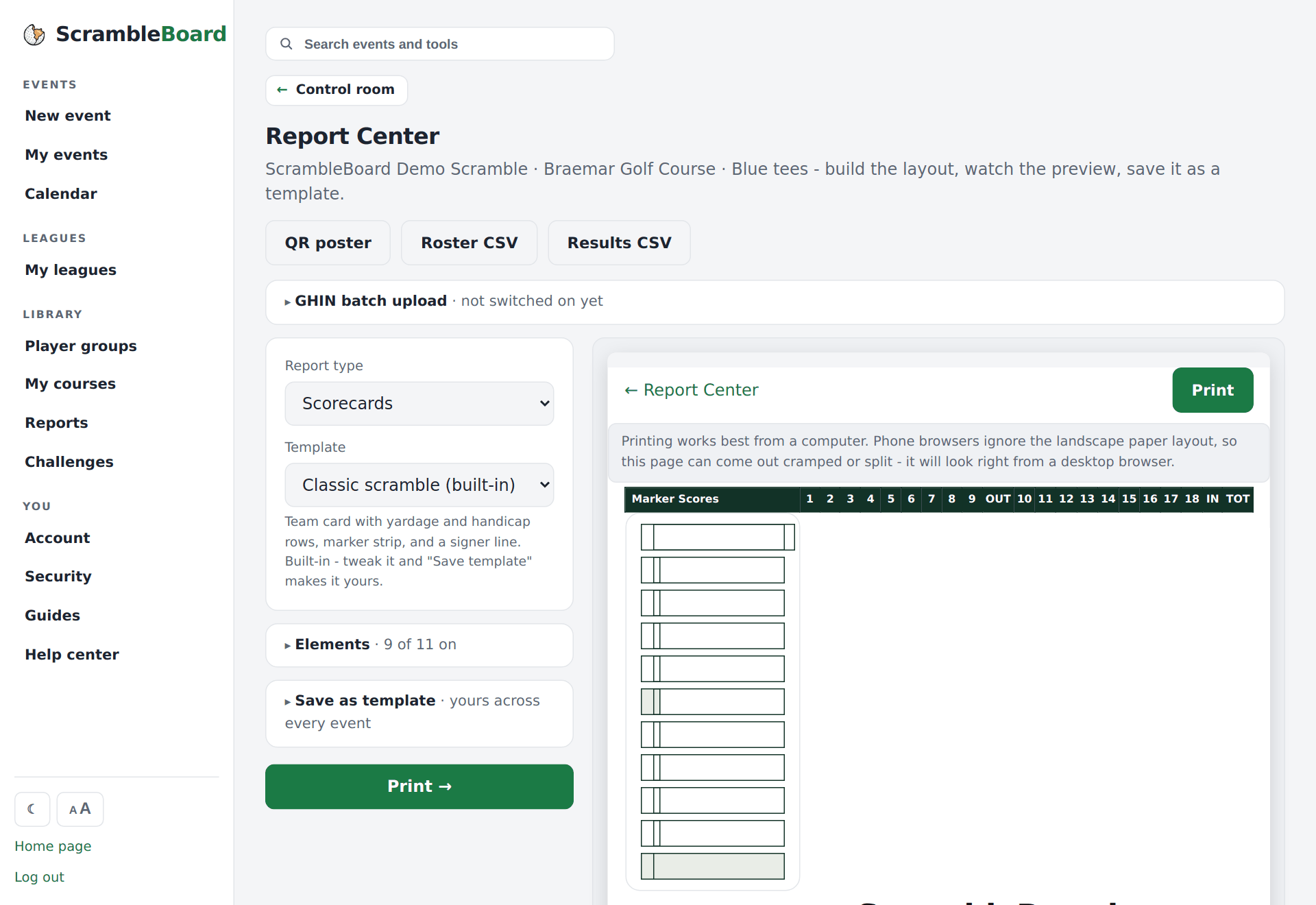
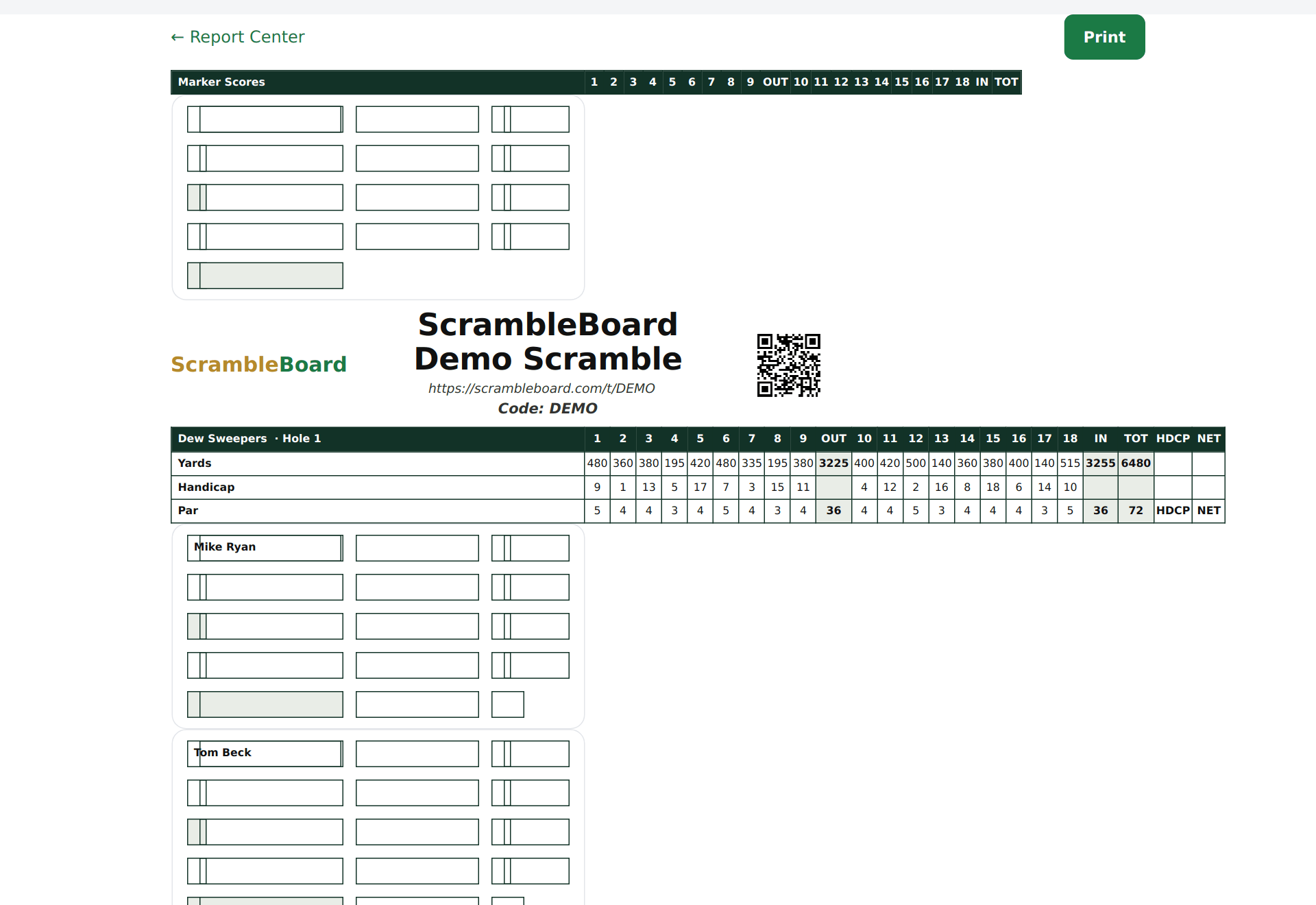
- Scorecards - one card per team, in the style golf events use: a strip for the marker (the person who keeps score), the event title and QR at the top, a grid with OUT (holes 1-9), IN (holes 10-18) and TOT totals, handicap and net columns, and signature lines. Landscape, ready for card stock.
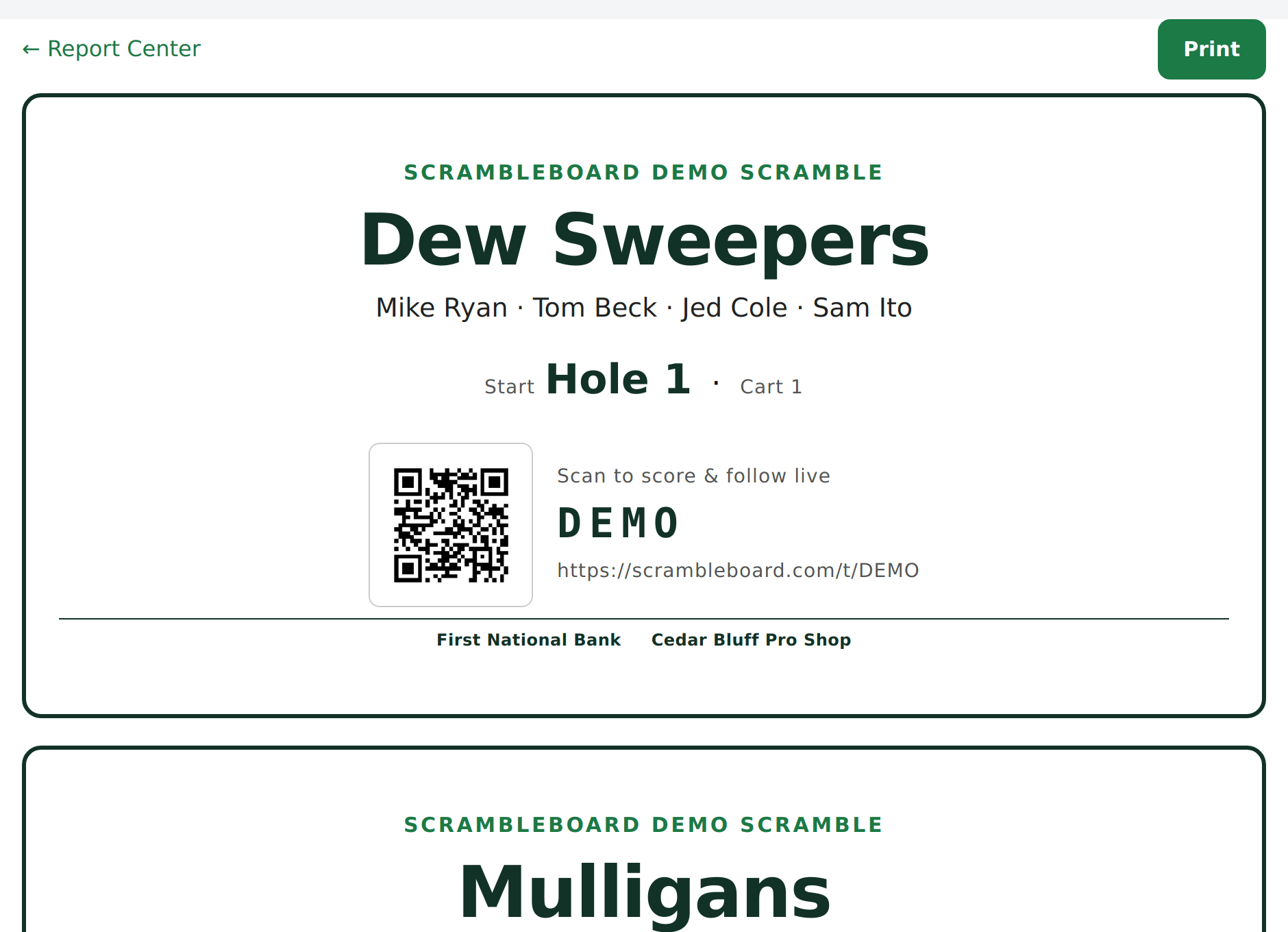
- Cart signs - one full-page sign per team with names and starting hole. You can add each player's own QR so scoring is one scan from the cart.
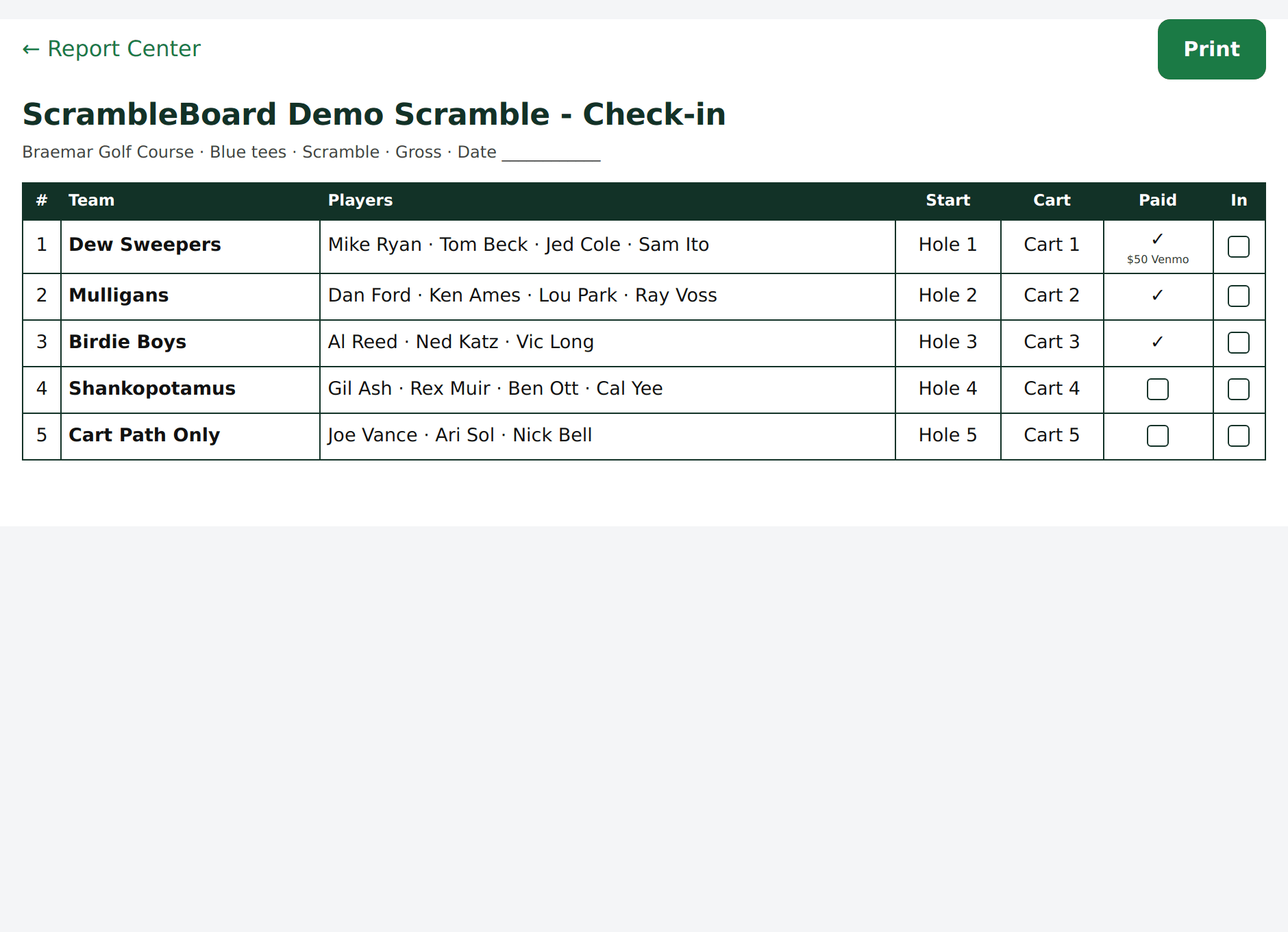
- Check-in sheet - every player in A-Z order with check-in boxes, plus paid status if you track it.
- Final results - the finished leaderboard, for the clubhouse wall or the sponsor thank-you email.
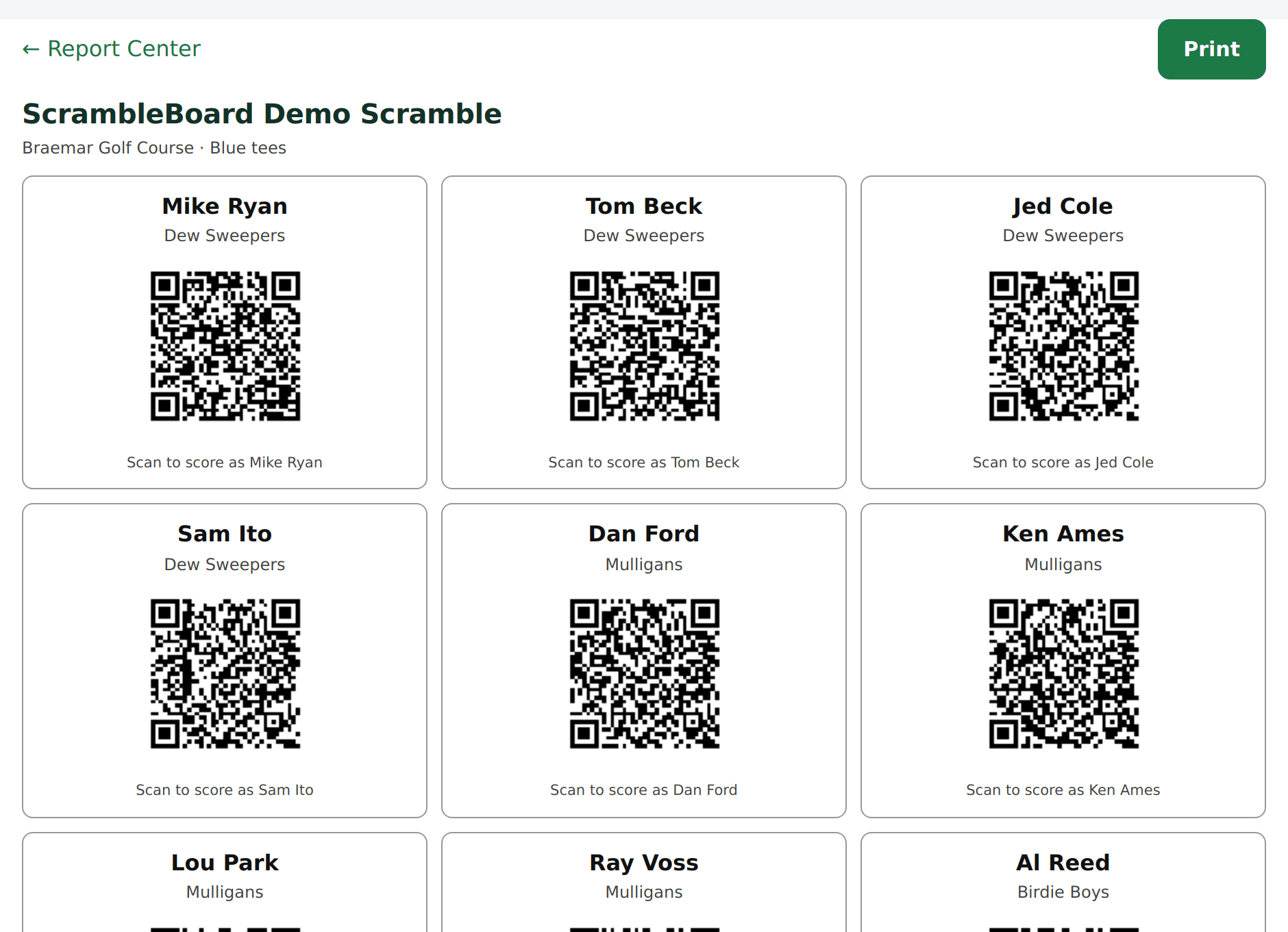
- Player QR cards - a personal join code for each player. The first scan claims that exact roster spot.
- Sponsor signs - a full-page thank-you sign per sponsor, one, two, or four to a page.
A join QR on every scorecard
By default, the top of each card carries the event QR and join code. A player who scans it lands in the event and picks their name. This works even if you print before the roster is final.
When the roster is set, you can turn on the per-player QR footer instead. Each player gets their own code on the card, and one scan claims that player. The footer also prints the join link as text, for a camera that does not cooperate.
Full guide: How players join and score (QR codes and claiming names)
Start from a preset
Four built-in scorecard layouts sit above your saved templates:
A new event's scorecards already use the preset that matches its format: a stroke-play event gets cart cards. Change any preset and press Save as my template to keep it.
- Classic scramble - a team card with a marker strip and a signature line.
- Cart card for stroke play - one card per cart, a row per player, and each player's join QR at the bottom.
- Skins sheet - handicap and net columns, with the carryover rule at the bottom. In skins, the lowest score on a hole wins a prize, and a tied hole carries the prize to the next hole.
- 9-hole league night.
Make it yours
Open Elements to turn each part of the card on or off, and add a title, a sponsor line, and a footer. A live preview shows the result. Grouped stroke play and best ball print one card per cart, a row per player. Starting holes and cart numbers follow the roster order.
Save the design as a template
Like the look? Open Save as template, name it, and load it at your next event. Templates work across all your events.
Full guide: Create your first event in ScrambleBoard
Frequently asked questions
Do the prints work in black and white?
Yes. Print pages use black on white whatever your screen theme is, so they copy cleanly.
Can I export results as a CSV?
Yes. The results and the roster download as CSV files from the event's manage pages. Spreadsheet exports are part of the Season Pass.
Run your event without paper Players scan a code, claim their name, and score on their phones. The leaderboard updates on every phone and the clubhouse TV. No app to install.
Create a free tournamentRelated guides
Chasing entry fees is half the work of running an outing. ScrambleBoard can record who has paid. This record does not move money. It stops the guessing at the check-in table.
Create the event, then follow five stops to the first tee. Your first event is free, so you can run a practice one first.
A golf scramble scorecard template is simpler than a normal golf scorecard. In a scramble, the team plays one ball, so each hole has one number: the team score. The course's normal cards, with four name rows, come back hard to read. Here is a layout that works.