 Scramble
Guides Setup
Offline scoring - what happens in a dead zone
Golf courses have dead zones, so scoring is offline-first: every score saves to the phone before it touches the network, and syncs when signal returns.
What happens on a save
1. The score lands in the phone's own storage instantly - the next hole opens with no waiting.
2. In the background, queued scores post to the server in batches.
3. Each score carries its own id and its capture time, so a batch that arrives late applies exactly once and can never overwrite a newer correction made while the phone was dark.
The status chip
The chip under the score header says which side of the network your scores are on: saved on phone means queued locally, synced means the server has everything. A phone can be dark for the whole back nine and the board catches up in one burst at the clubhouse.
What works offline
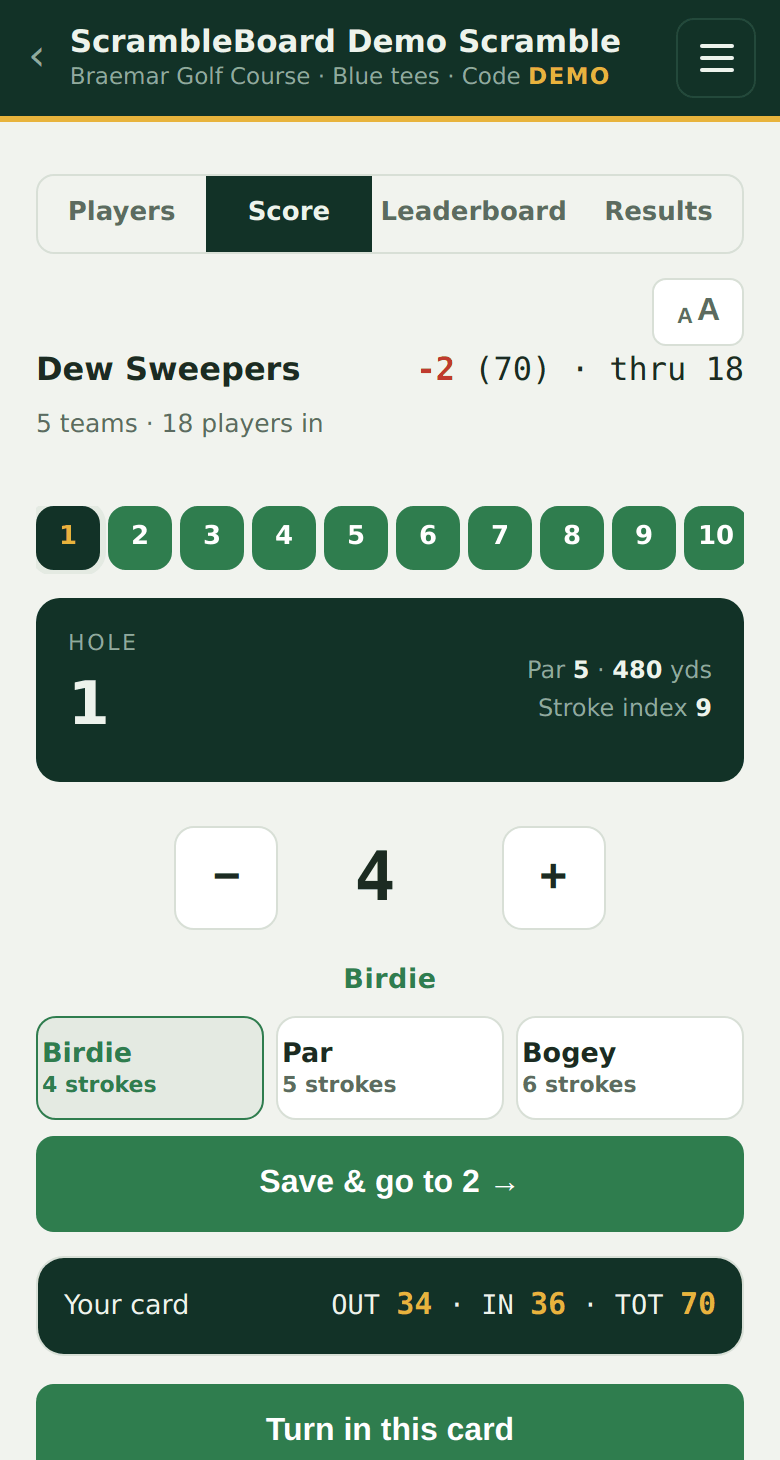
- Scoring, hole by hole or on the card, including advancing to the next hole.
- Jumping to any hole with the numbered chips at the top of the scoring page.
- The "Your card" drawer at the bottom of the scoring page - its OUT, IN and TOT count scores still waiting to sync, so the total is right even when nothing has reached the server yet.
- Reopening or refreshing the scoring page - it is cached on the phone.
What needs a connection
- The live leaderboard and TV board (they read the server).
- Claiming a name the first time, and organizer pages.
- Under field scoring, another cart's card saves directly rather than queuing - so a queued score can never land on the wrong card.
What you should see
Score two holes in airplane mode: both save instantly and the chip says saved on phone. Turn the network back on: the chip flips to synced within seconds and the board shows both holes.
If it does not work
- The chip stays on saved-on-phone with signal back - reopen the scoring page; the queue drains on load and on every save.
- Two people scored the same hole differently - the newer entry wins, and every entry is kept in the audit trail; the organizer's edit page shows and fixes the final number.
Full guide: Fix a wrong score, settle disputes, and finalize results
Run your event without paper Players scan a code, claim their name, and score on their phones. The leaderboard updates on every phone and the clubhouse TV. No app to install.
Create a free tournamentRelated guides
There's nothing to install and no player accounts. A player points their camera at the QR poster, taps the link, claims their name from the roster, and is scoring within thirty seconds.
Every event has a TV board: a fullscreen leaderboard made to be read from across a room. It needs no login and no app - it is a web page, so anything with a browser and an HDMI port can show it.
Somebody will fat-finger a 4 into a 7 on the 14th. Here's how corrections, disputes, and the end of the day work - and how to clone the event for next year.