 Scramble
How it works
Start to finish, from the first setting to the final board. About five minutes of setup.
Want to see the result first? Check out a sample event: a shotgun scramble with challenge holes, or a 3-day golf trip. Both run live on sample data.
Set up the event
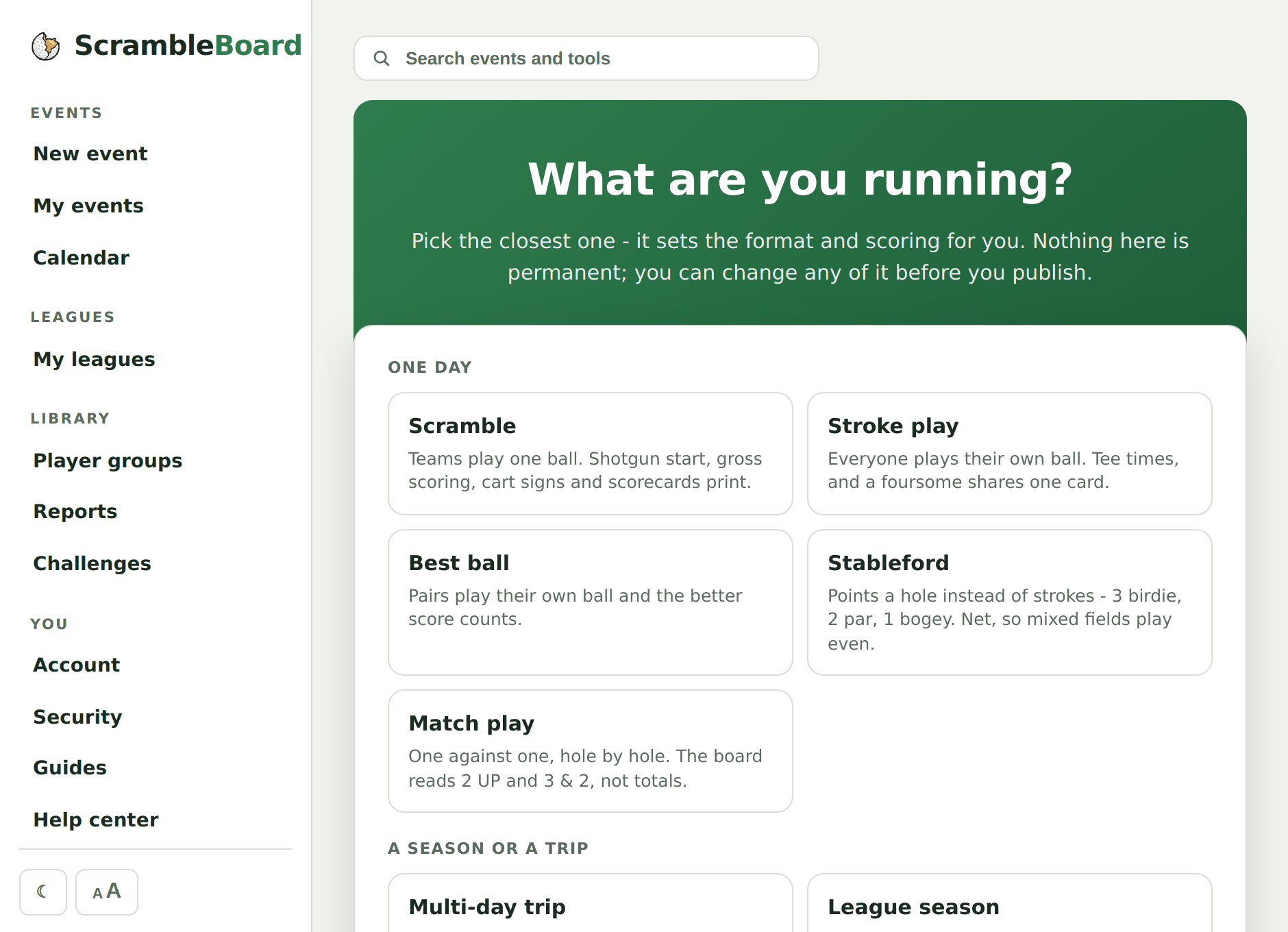
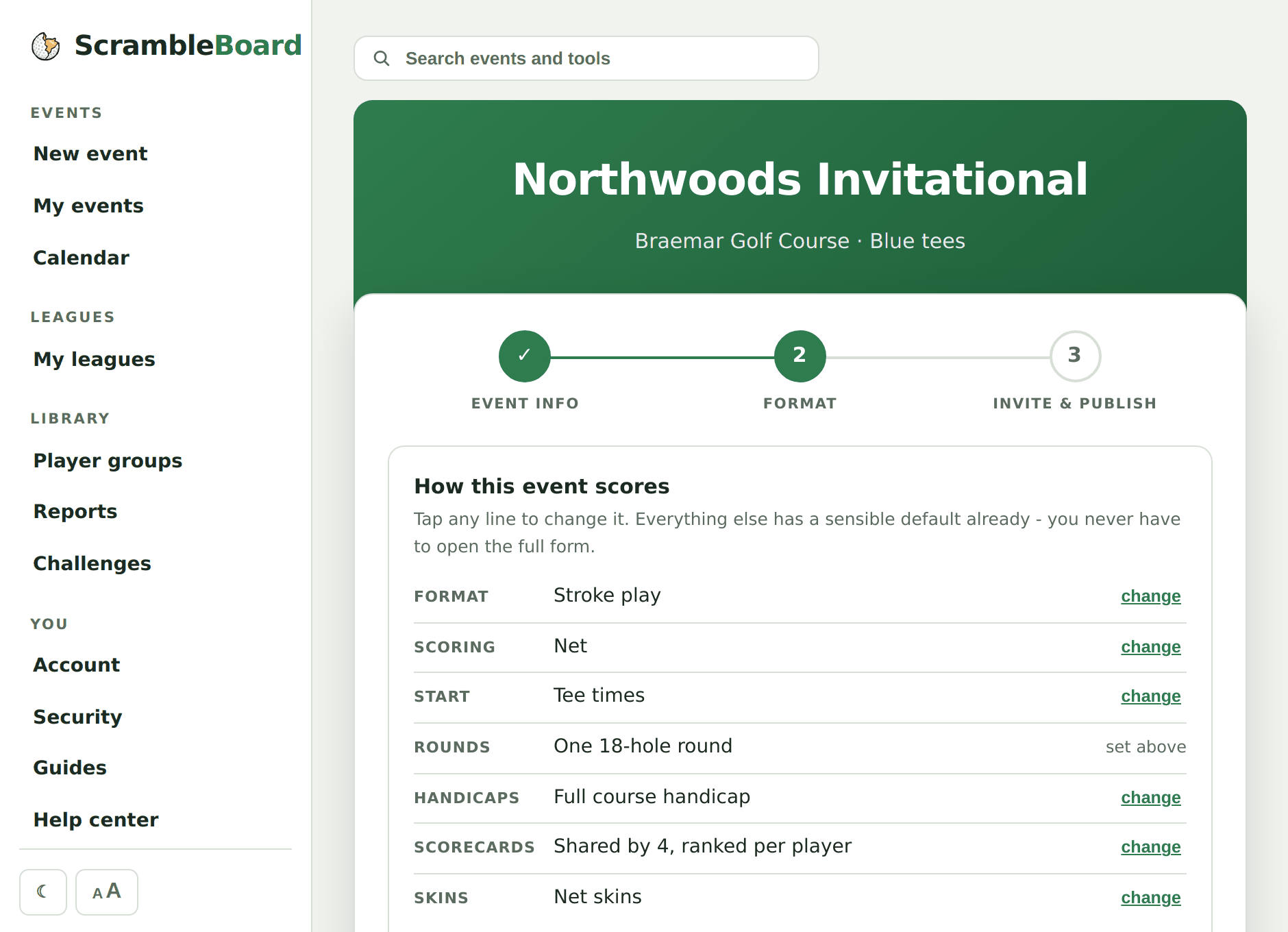
Start with what you are running: a scramble, a league night, a buddies trip, a member-guest. The format, the scoring, and the handicap settings arrive already set for that kind of event, and every one of them is yours to change. Search your course and choose which tees are in play. Sign-in is a link by email, and you are the only person in the event who needs an account.
- Pick the kind of event and its scoring is already set
- Scramble, best ball, stroke play, or Stableford - gross or net, with flights - and league seasons
- Handicap allowance, rounding, and allocation are yours to set
- One round, or 36 holes a day for a three-day trip
- Save a scoring preset, or clone a past event with "Run again"
- A sign-in code by email, no password to remember
- Each event freezes the course, so a later re-rating never rewrites your results
Get players in
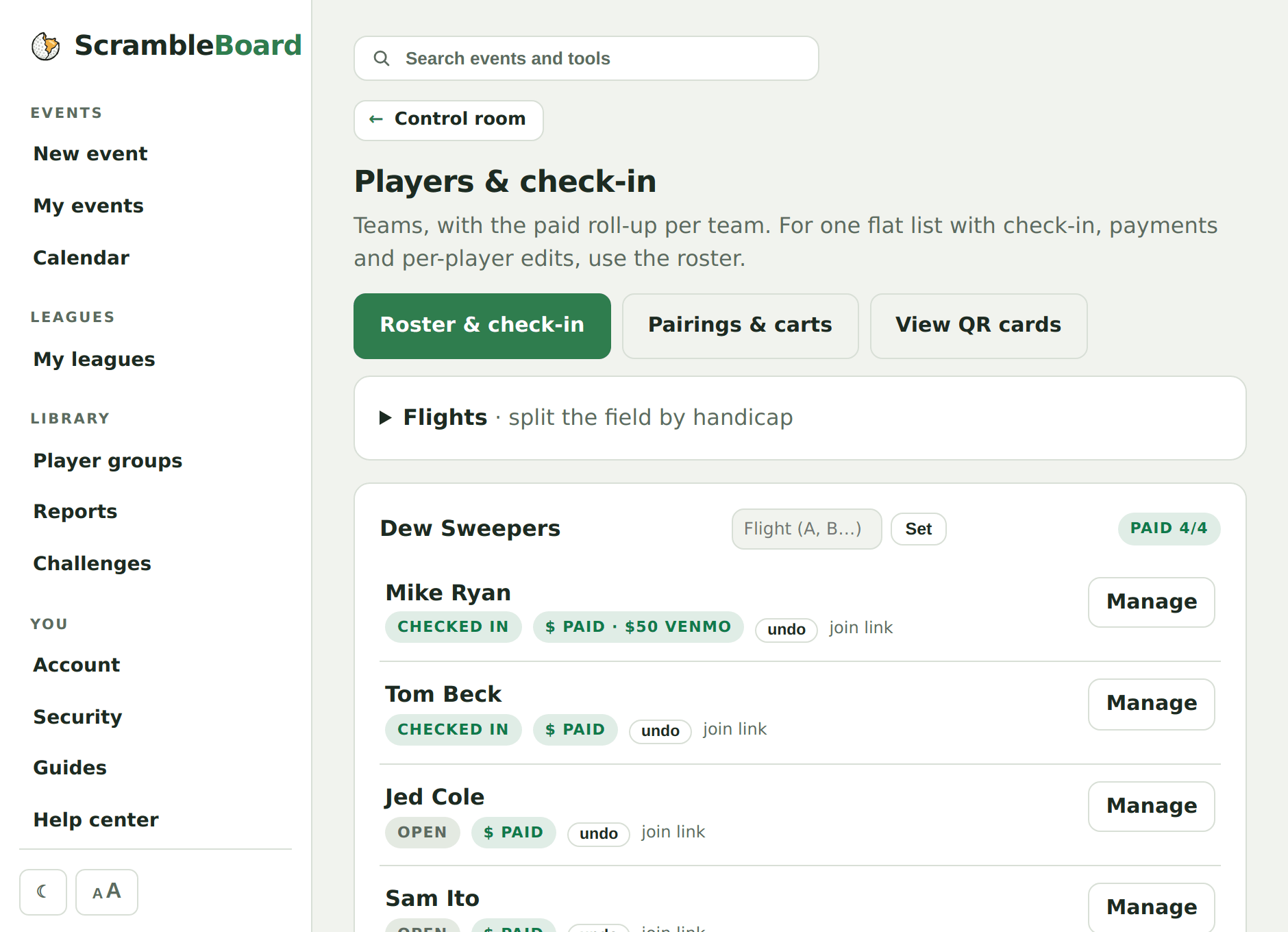
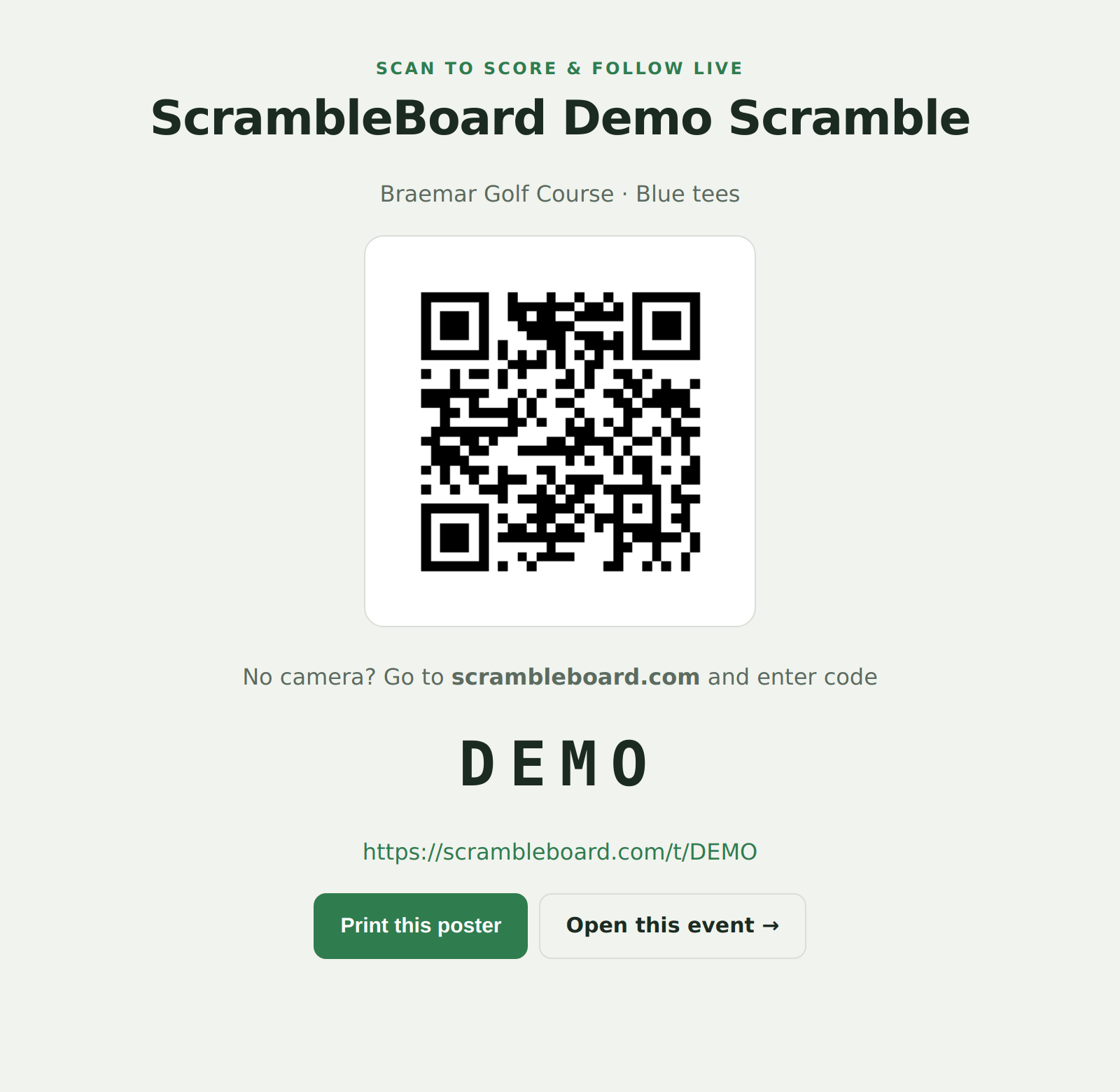
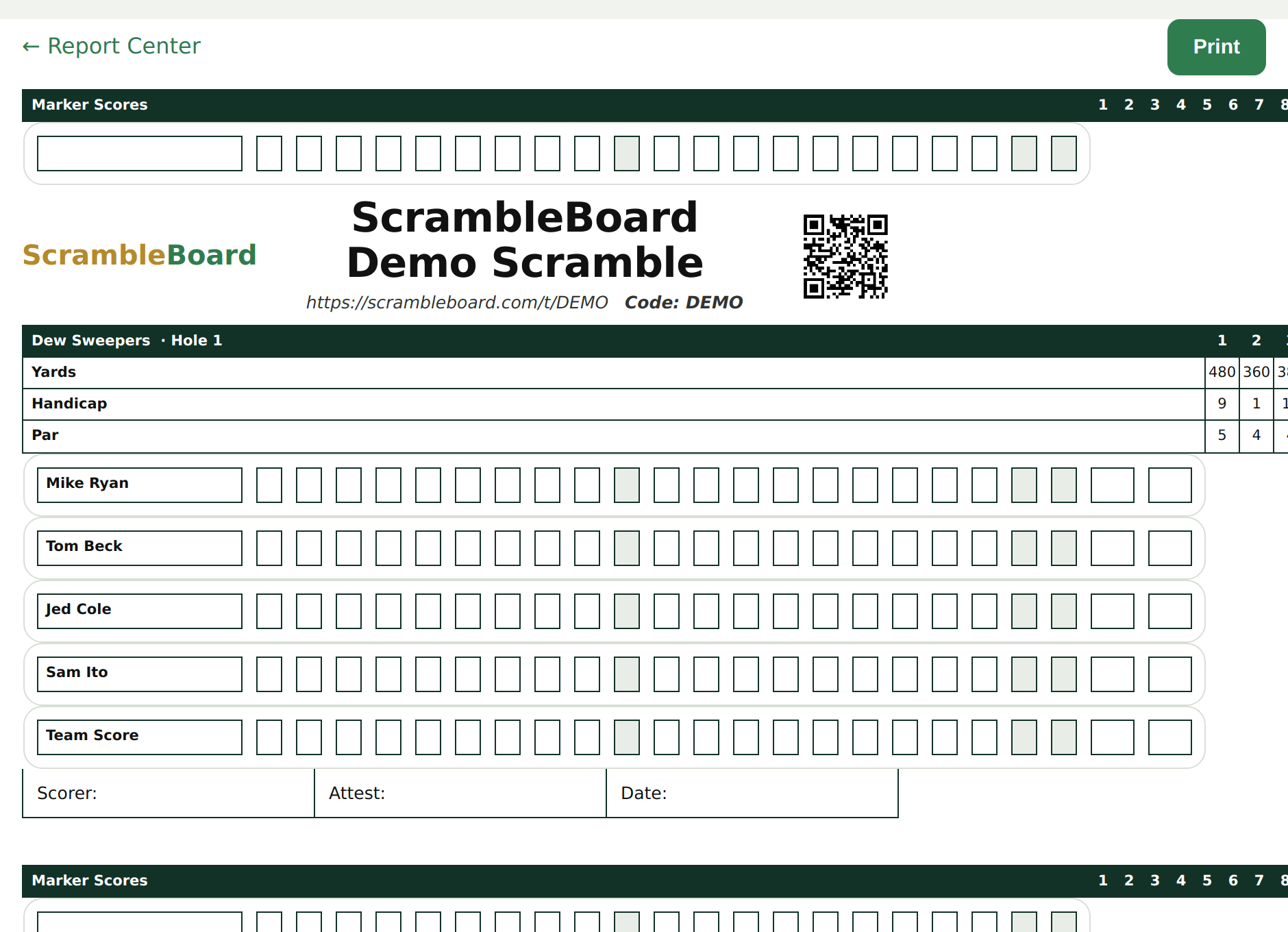
Paste names from an email, upload the sign-up spreadsheet, or photograph the paper sheet and let the browser read it. Saved groups bring your regulars back, handicaps and all. Then print the QR poster for the first tee and the cards for the carts. Anyone you missed can add themselves and claim an open spot.
- Paste the names, upload the spreadsheet, or photograph the paper sheet
- Exports from Eventbrite, GolfStatus, and Square import as they are, including who has paid
- Saved groups reuse your regulars, handicaps and all
- A QR poster and a short code anyone can type
- Tournament scorecards, cart signs, and a check-in sheet
- Move players between carts on the pairings board, or let it snake-draft them for you
Score it your way
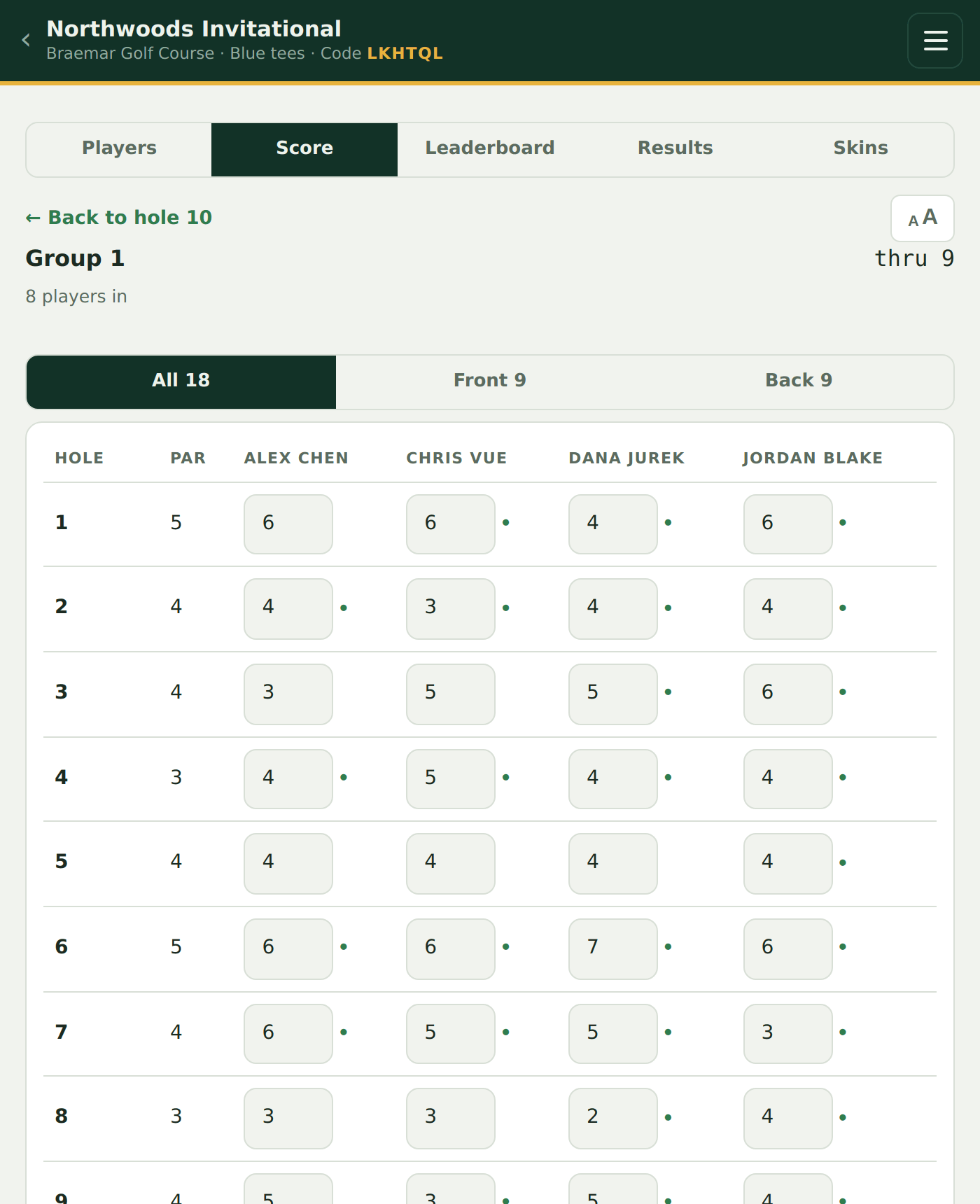
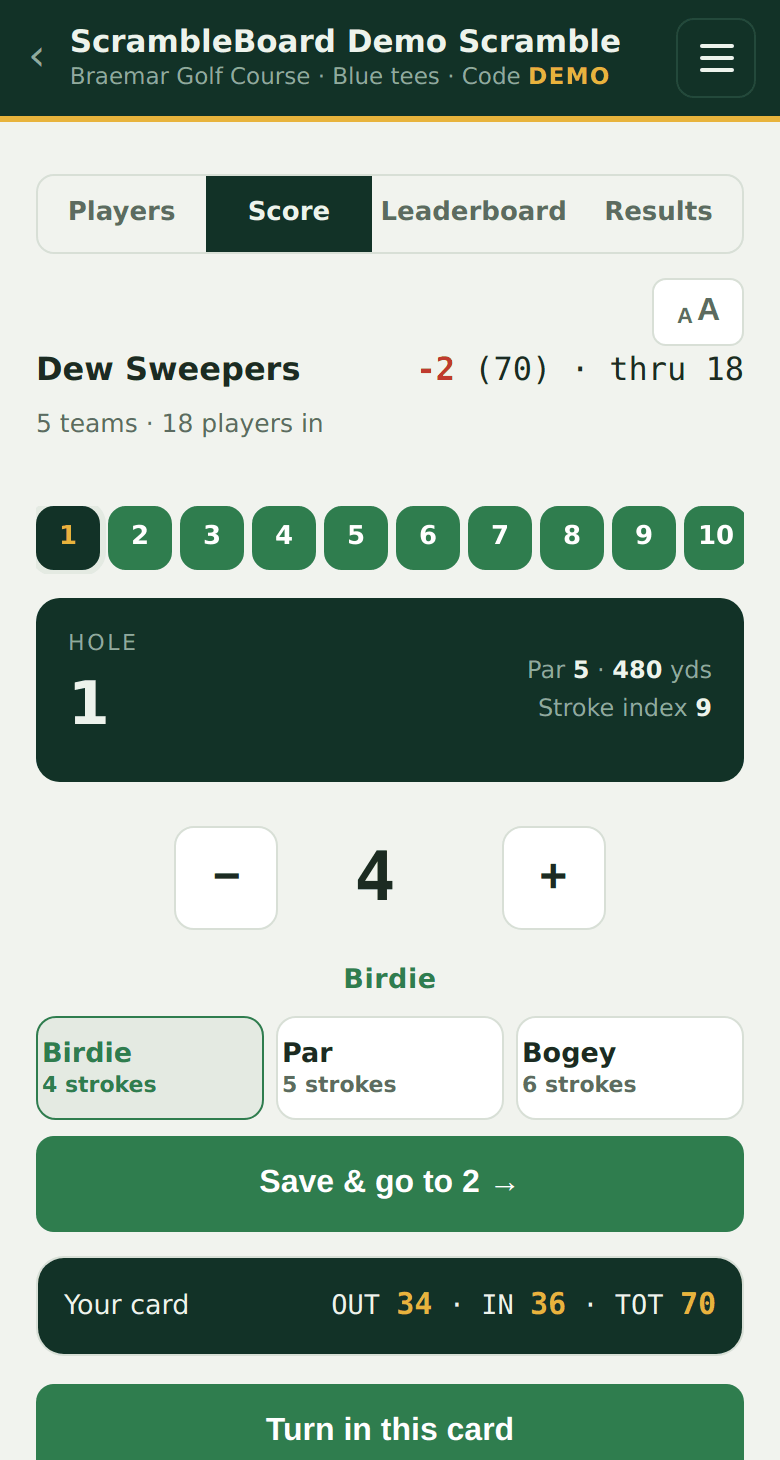
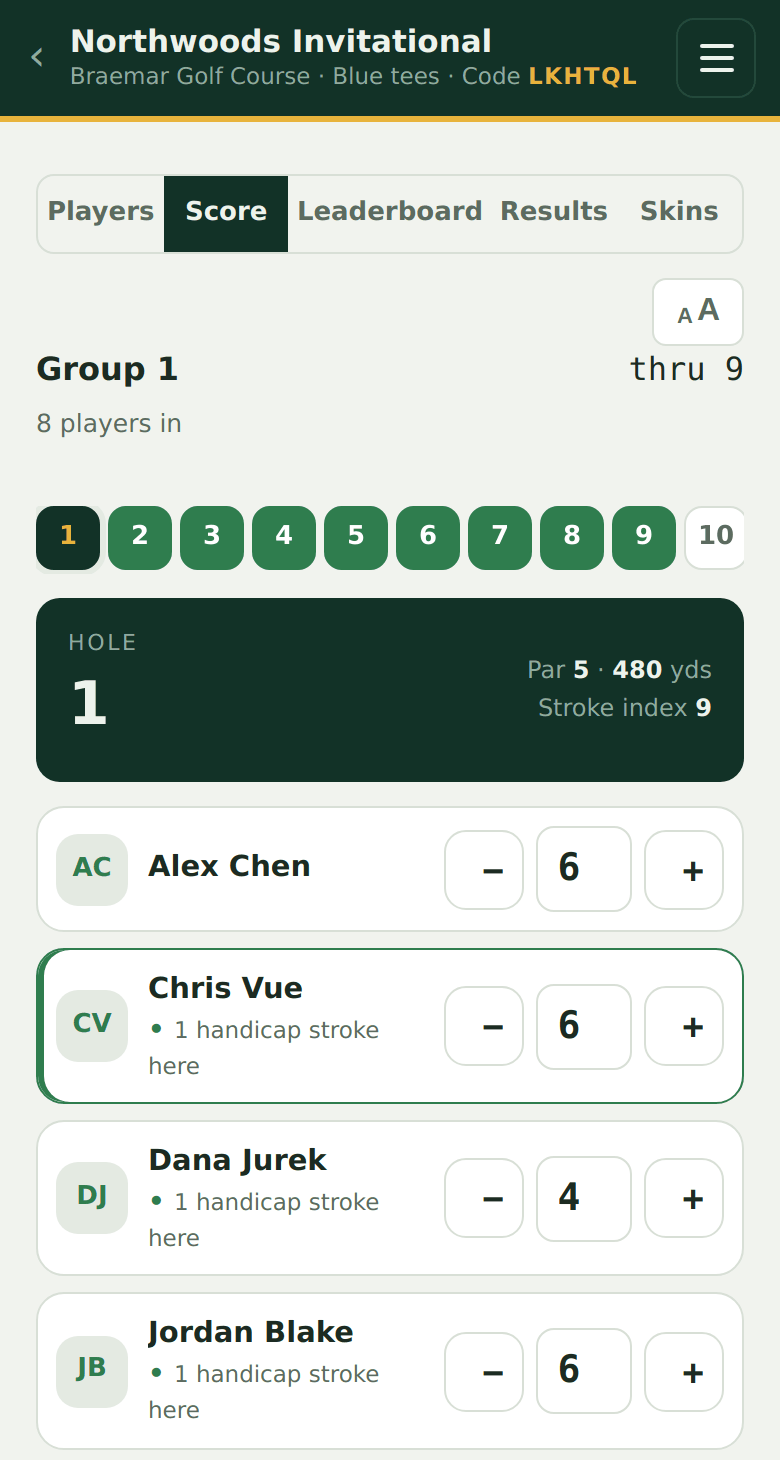
One phone can keep the card for the whole group - every player gets their own row with their own plus and minus, so nobody fights a keyboard and nobody else has to touch a phone. Or let every player score independently from their own seat; the board merges it all either way, and you pick the rule when you set the event up. The hole you are on fills the screen: par and yardage up top, a big plus and minus, and one-tap Birdie, Par and Bogey with the score's name under the number. Your running card is a pull-up drawer at the bottom, and every hole in the round is a chip you can tap - which is how you start on 12 in a shotgun. Every tap saves on the phone first and syncs when signal returns, so the back nine dead zone does not stop the round.
- One phone scores the whole group, or each player scores independently - your call
- A plus and minus for every player in the cart - the keyboard never opens
- One hole at a time, with buttons you can hit in a golf glove
- Tap any hole number to jump - shotgun starts land where they should
- Your whole card is a pull-up drawer, so checking the total never loses your place
- Handicap dots show who gets a stroke where
- It works offline, and a chip shows what is still waiting to send
- Four text sizes that grow the buttons too, for sun, cold and reading glasses
Watch it live
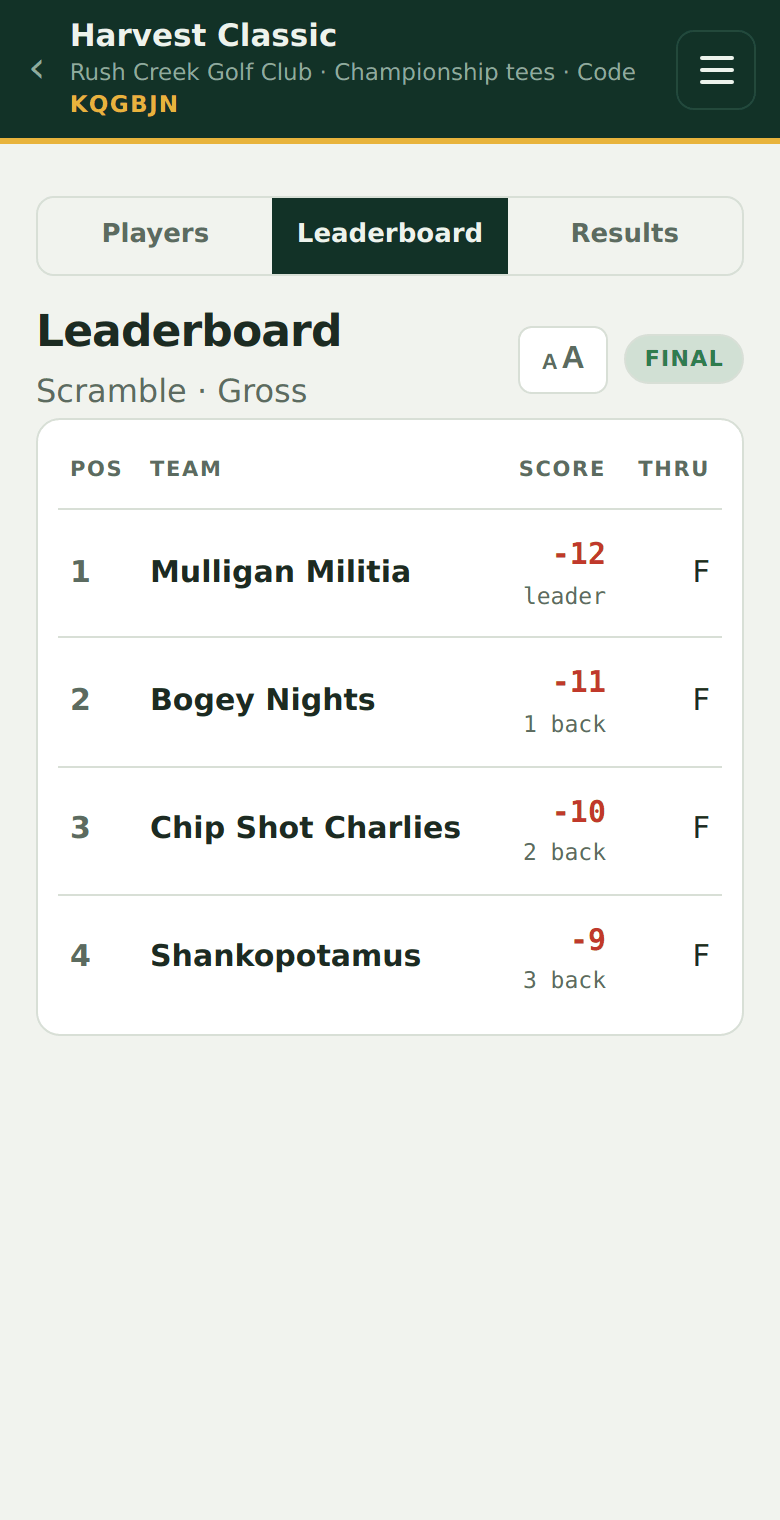
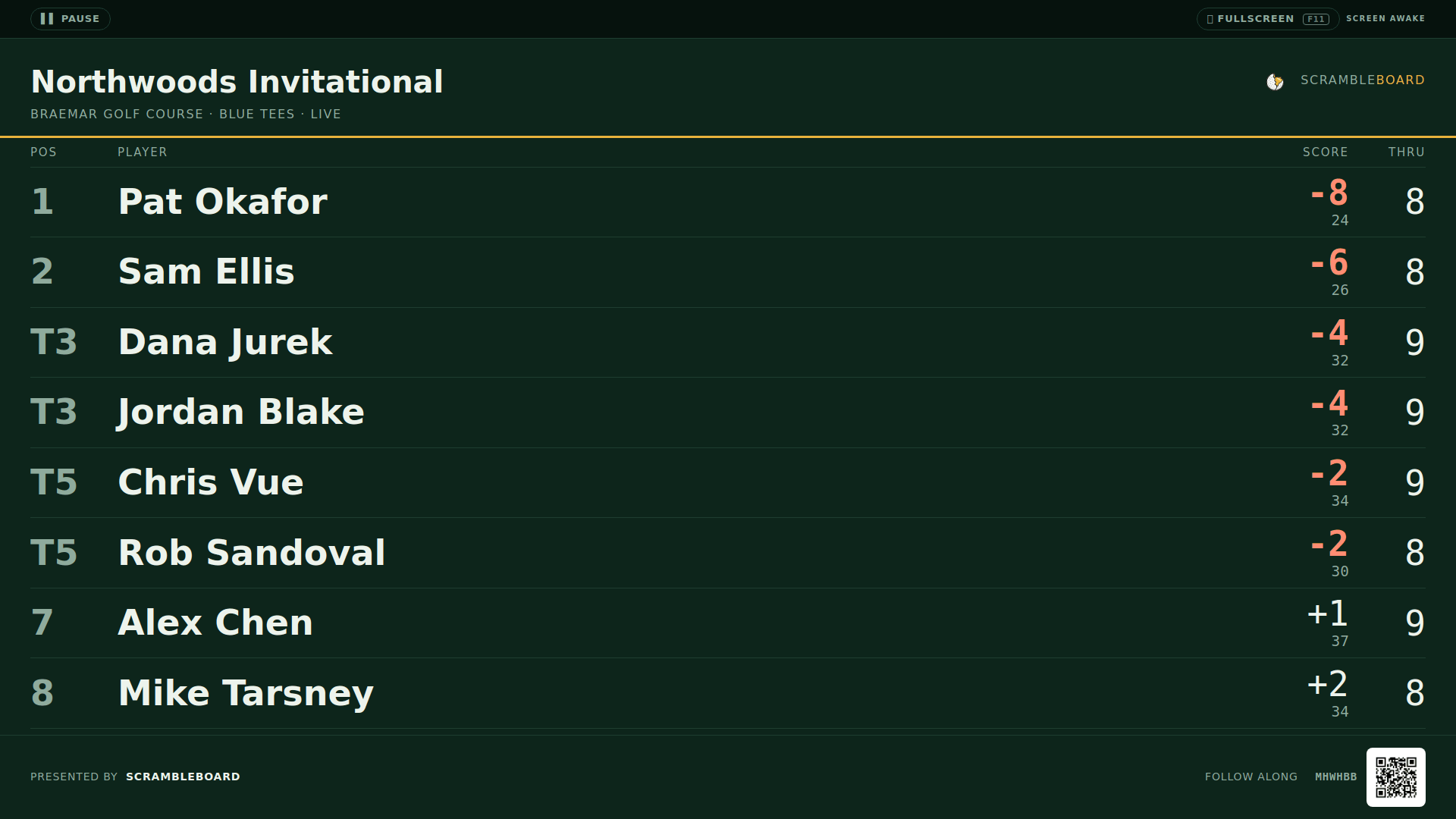
The board updates in seconds on every phone that has the link: players, spouses, sponsors, and the beer cart. For the clubhouse, open the TV board in any browser and press fullscreen. There is no casting box to plug in, and nothing to install.
- A live board on every phone and on the clubhouse TV
- Standings in seconds, with ties handled
- Skins with carryovers, closest to the pin, and long drive
- The TV can rotate the board, the challenges, and the skins
- Anybody with the link can follow along, with no account
Read the results
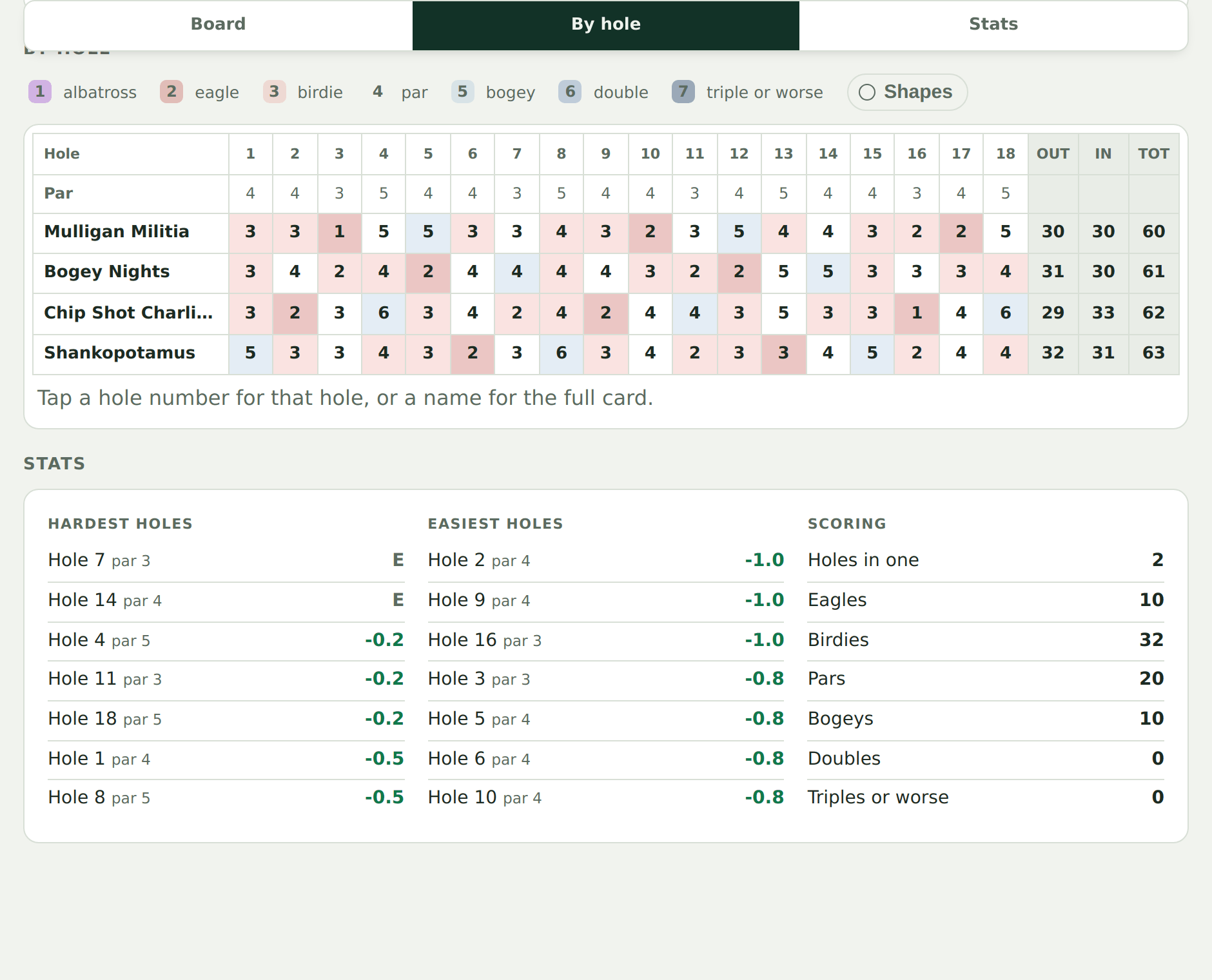
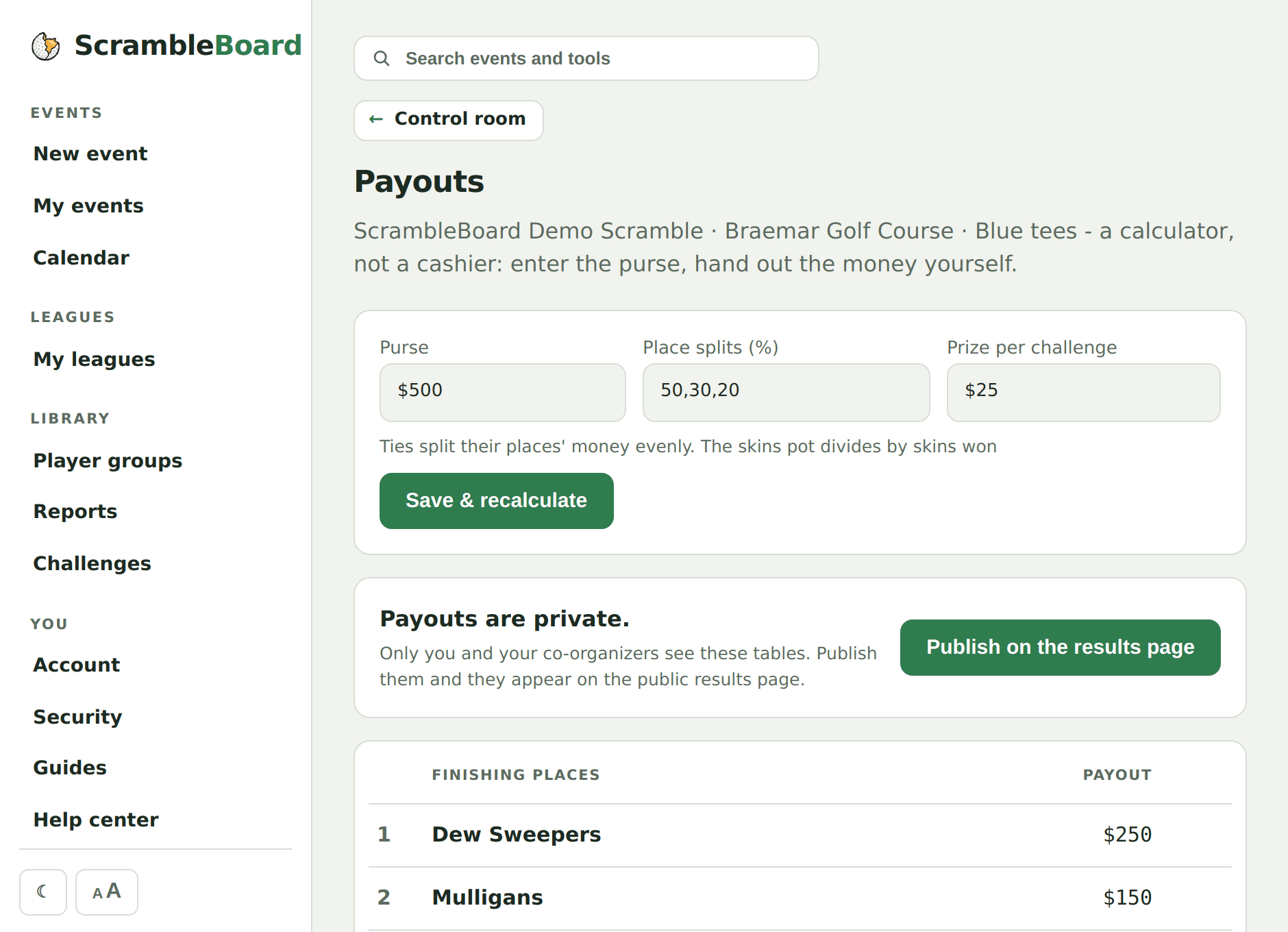
Finalize when play ends, and the results page stays online for anyone with the link. Tap a hole to see what the field made on it, or a name for the full scorecard, marked the way a paper card marks it: circles under par, squares over, a second ring for an eagle or a double. The purse split is figured before the last group reaches the bar.
- The winner and full standings, with ties handled
- Front nine, back nine and total for every card
- Tap a hole to see what the field made on it, or a name for the full scorecard
- Every score marked from albatross to triple - circled under par, boxed over, so the card reads without depending on colour
- Hardest and easiest holes, and the birdie count for the day
- Purse splits and a calcutta price, figured not argued
- The results page stays online after the event, and anyone with the link can read it
The only account is yours
Only the organizer needs an account. One account runs every event you host, with a plan to match each one. You sign in with an email link, handled by Kinde, our login provider, so you don't remember a password. Your players don't need an account. They scan the QR code, claim their name, and score.
Pricing is flat. One event costs $10 at any number of players, and a yearly plan covers every event you run. Courses that run a full season can buy the Course plan and cover every event on the calendar. Your first event is free. See pricing →