 Scramble
Guides Using ScrambleBoard
Import your roster from a spreadsheet or registration export
If your sign-ups are in a spreadsheet or a registration site, do not type them again. On the event's roster page, open **Import a list** and then the **Upload a file** tab. ScrambleBoard finds the columns that matter.
What files work
Excel (.xlsx), CSV, TSV, or plain text, up to 1 MB. An Excel file uploads directly (the first sheet is read), so you do not need to save it as CSV first. The attendee or order export from your registration site also works. Eventbrite, GolfStatus, and Square exports are tested.
Column names do not need to be exact
"First Name" and "Last Name" are joined into one name. A "Player", "Name", or "Attendee" column is used as it is. A "Handicap", "Handicap Index", or "HCP" column attaches each player's handicap - a number that evens out play between strong and weak golfers. Plus handicaps such as "+1.8" work too.
Paid status imports too
If the file has a paid, amount paid, payment status, or order status column, each player is marked paid from it. "Paid", "yes", a checkmark, or a dollar amount all count as paid. That shows on the roster's paid marks, the unpaid count on the event's Overview, and the check-in sheet.
Full guide: Track who's paid (without collecting money)
GHIN club rosters
GHIN is the US handicap service, and your club can export its member list from it. That export (First Name, Last Name, Handicap Index, Email) imports cleanly. Import it into a saved group, so every event pulls current handicaps from one place. GHIN has no public connection for apps, so the export file is the reliable way.
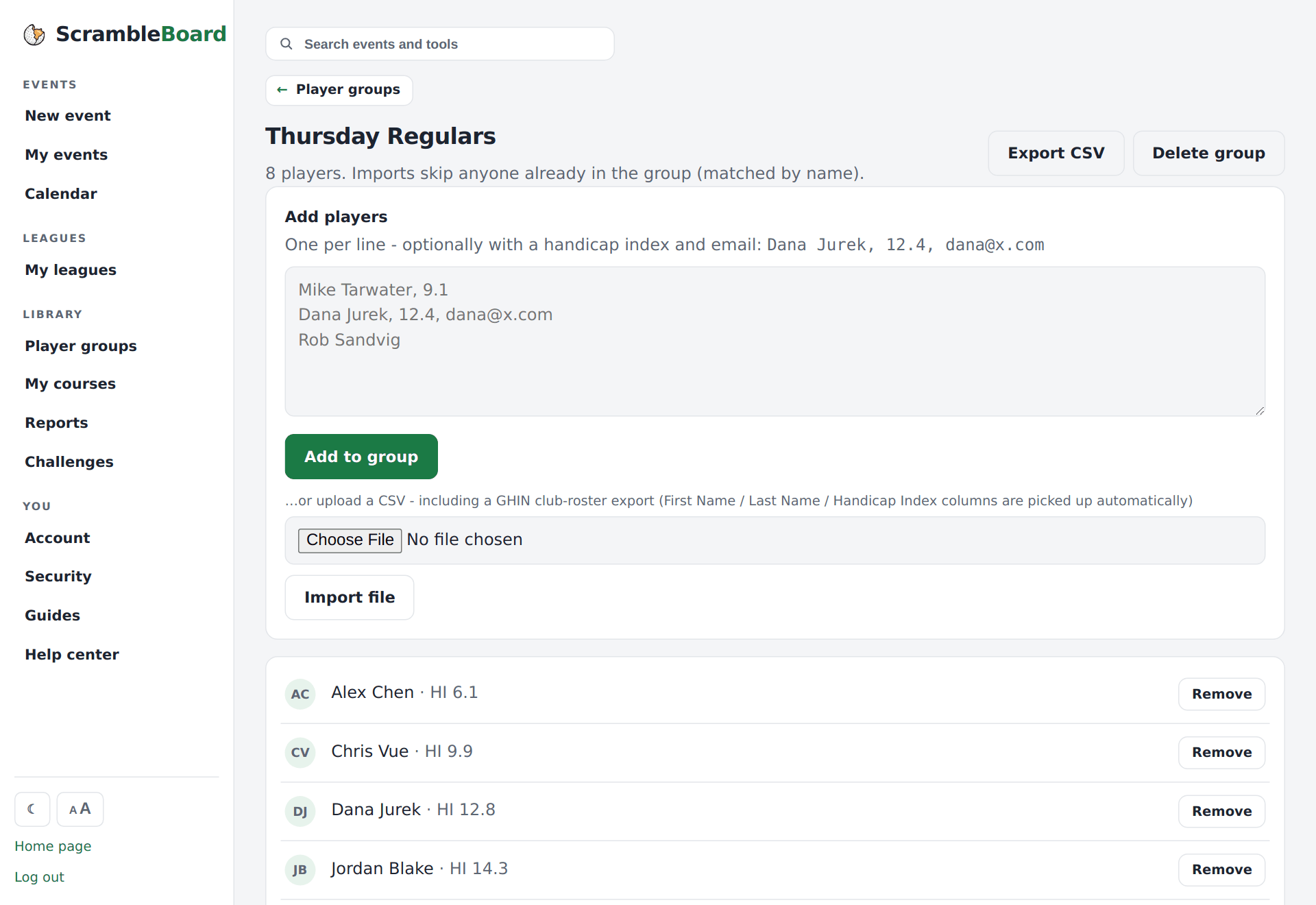
Full guide: Groups: save a player list once, reuse it every event
Frequently asked questions
My spreadsheet has extra columns - do I need to delete them?
No. Columns it does not know are skipped. It looks for name, handicap, and paid columns only.
Can I import teams from a spreadsheet?
Yes. For team formats, put the team name in the first column and the players in the next columns. Rows with the same team name join into one team. For solo formats, put one player on each row.
Run your event without paper Players scan a code, claim their name, and score on their phones. The leaderboard updates on every phone and the clubhouse TV. No app to install.
Create a free tournamentRelated guides
On a new event, the first stop on the Run tab, **Who's playing?**, takes a pasted list. For everything else - one player at a time, a spreadsheet, a photo of the sign-up sheet, or a saved group - use the event's roster page. Use whichever way matches what you have in your hand.
Do you run events for the same people - a league night, a club's members, a yearly buddies trip? Build the list once as a group. Each new event then starts from that list, not from an empty box.
Chasing entry fees is half the work of running an outing. ScrambleBoard can record who has paid. This record does not move money. It stops the guessing at the check-in table.