 Scramble
Guides Running your event
How to run a golf scramble (a simple checklist)
A four-person scramble is the friendliest tournament format for an outing: everyone contributes, nobody gets embarrassed, and play stays fast. Here's how to run one end to end.
Pick a shotgun start so every group finishes together - it makes the awards ceremony and the live leaderboard reveal much better. Confirm the course, the date, and a rain plan first; everything else follows from those.
Set the format: four-person scramble, gross scoring with flights if you have a wide range of abilities. Flights let weaker teams compete for their own prizes, which keeps everyone engaged to the last hole.
Line up your prizes and any hole games - closest-to-pin, long drive, a skins pot. ScrambleBoard scores those alongside the main leaderboard, so winners are settled the moment play ends instead of over a calculator at the bar.
For scoring, skip the paper-and-pencil bottleneck at the turn. With ScrambleBoard, each group scores on one phone, the leaderboard updates live, and you finalize with one tap. Setup takes about five minutes - see how it works.
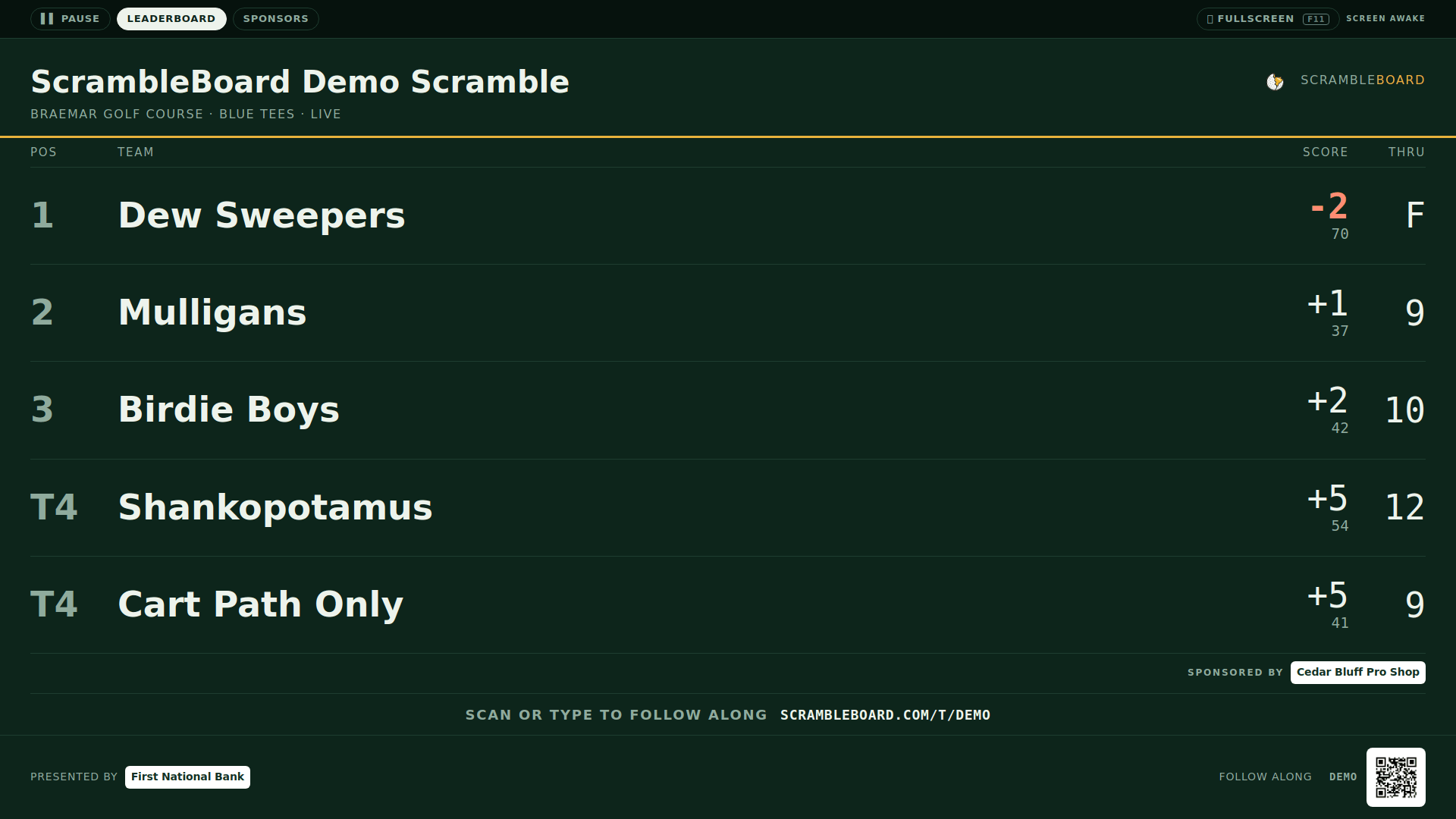
Run your event without paper Players scan a code, claim their name, and score on their phones. The leaderboard updates on every phone and the clubhouse TV. No app to install.
Create a free tournamentRelated guides
The single biggest friction point in tournament software is making 72 golfers download an app and create accounts. QR-code scoring removes it entirely.
Nothing makes a tournament feel professional like a live leaderboard on the big screen in the clubhouse. You don't need special hardware to do it.