 Scramble
Guides Using ScrambleBoard
Run a weekly league on one QR code
A league season is one ScrambleBoard event. The weeks are its rounds, the QR code on the clubhouse wall works every week, and the board grows a Season tab that totals weekly points. Players who join in week 4 scan the same code the week-1 crowd did.
Set the schedule in one move
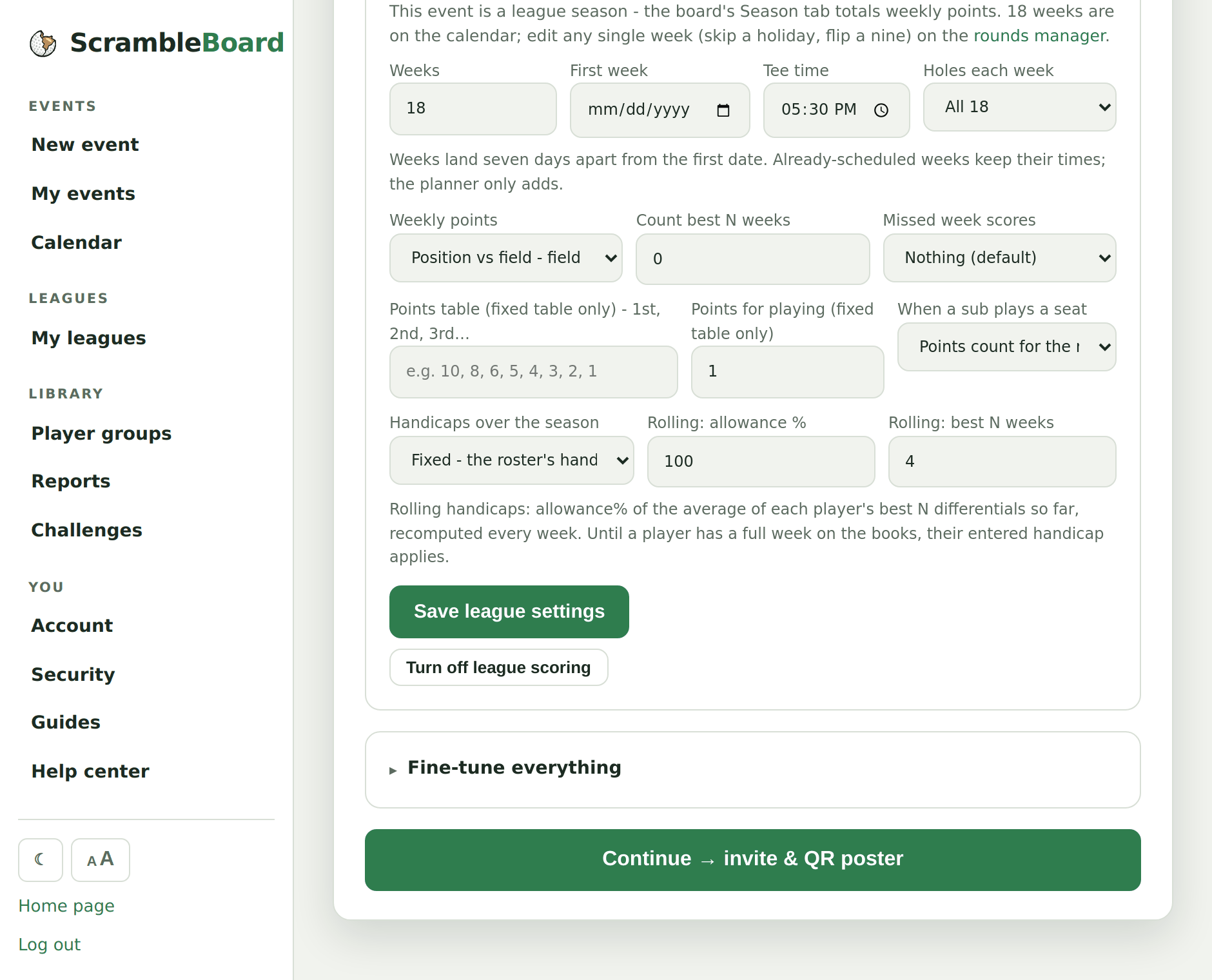
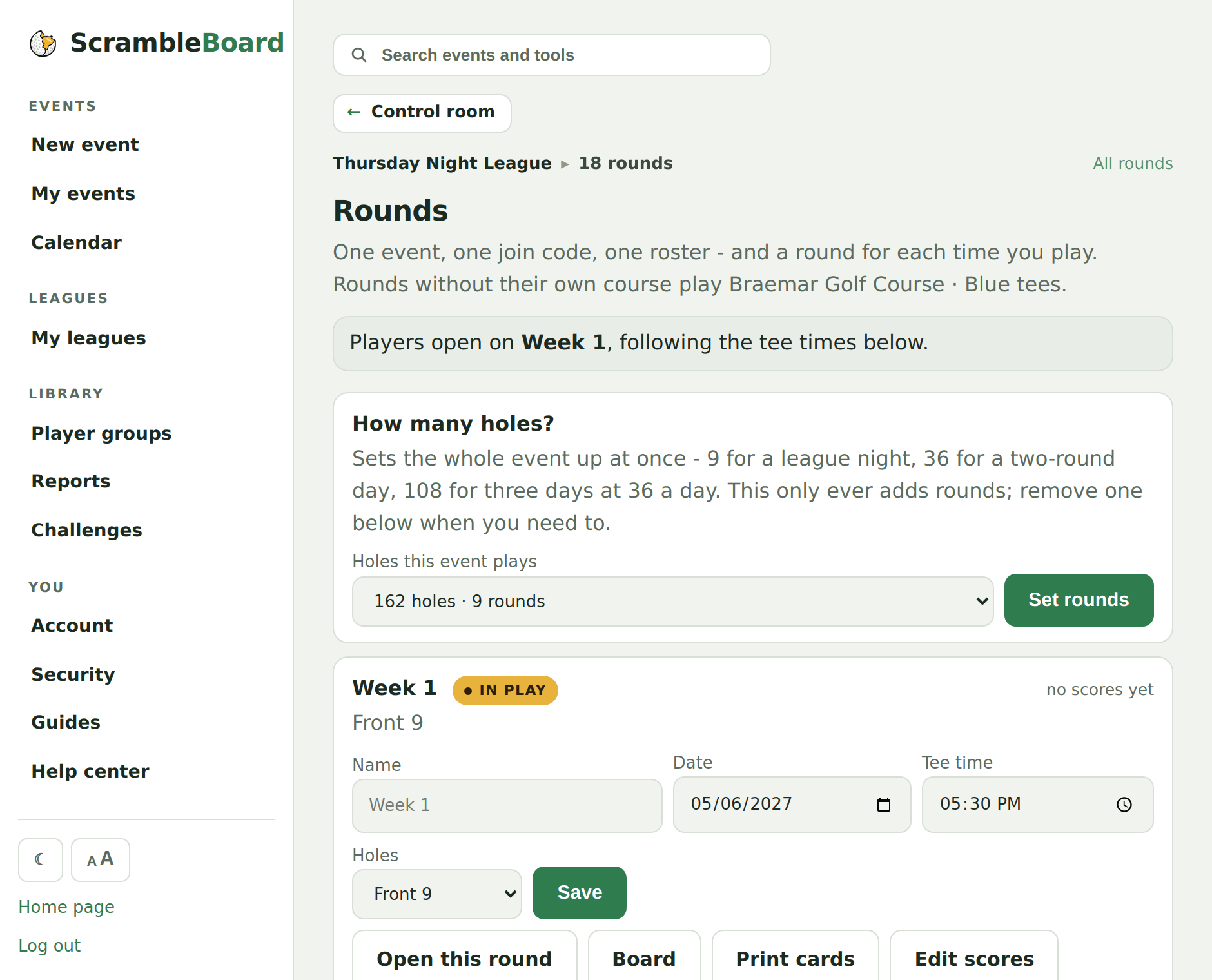
Create the event as usual, then use the League season card on the format step. Tell it the shape of your league - 18 weeks, Thursdays at 5:30, starting May 7 - and it creates every week with its tee time. Weekday leagues are usually nine holes after work: pick Front 9, Back 9, or alternate front and back, and every card, handicap, and skins pot plays the right nine.
The right week opens by itself: tee times decide which round players score into, and you can pin a week by hand from the rounds manager when the plan changes. Skip-a-week edits (a holiday, a rainout) are one date change on the rounds manager.
Pick the points
Weekly finish comes from your event's own format - net stroke play, Stableford, or Quota. The league layer turns each week's finishing positions into season points, two ways:
- Position vs field - field size minus rank plus one. Self-scaling, nothing to configure; ties share the better position, and a missed week scores nothing.
- Fixed table - you type the points for 1st, 2nd, 3rd and so on, plus optional points for showing up.
- Count best N weeks - a 16-week season that counts your best 12 keeps vacation weeks from sinking anyone. A player with fewer than N weeks counts what they have.
- Missed weeks - score nothing (default), or credit the player's average points if your league plays it friendlier.
The Season tab
On a league event the board's Total tab becomes Season: points, weeks counted, and week-over-week movement arrows. Each week keeps its own tab with that night's leaderboard. The TV board rotates the season race in alongside this week's board, challenges, and skins.
Weekly skins and challenge holes
Skins pots settle per week - carryovers reset each league night, and the skins page has a week switcher. Challenge holes (closest to the pin, long drive) crown a holder per week too, so Tuesday's CTP doesn't block next Tuesday's.
Full guide: What is a skins game in golf? Rules, carryovers, and examples
Plan the season from the calendar
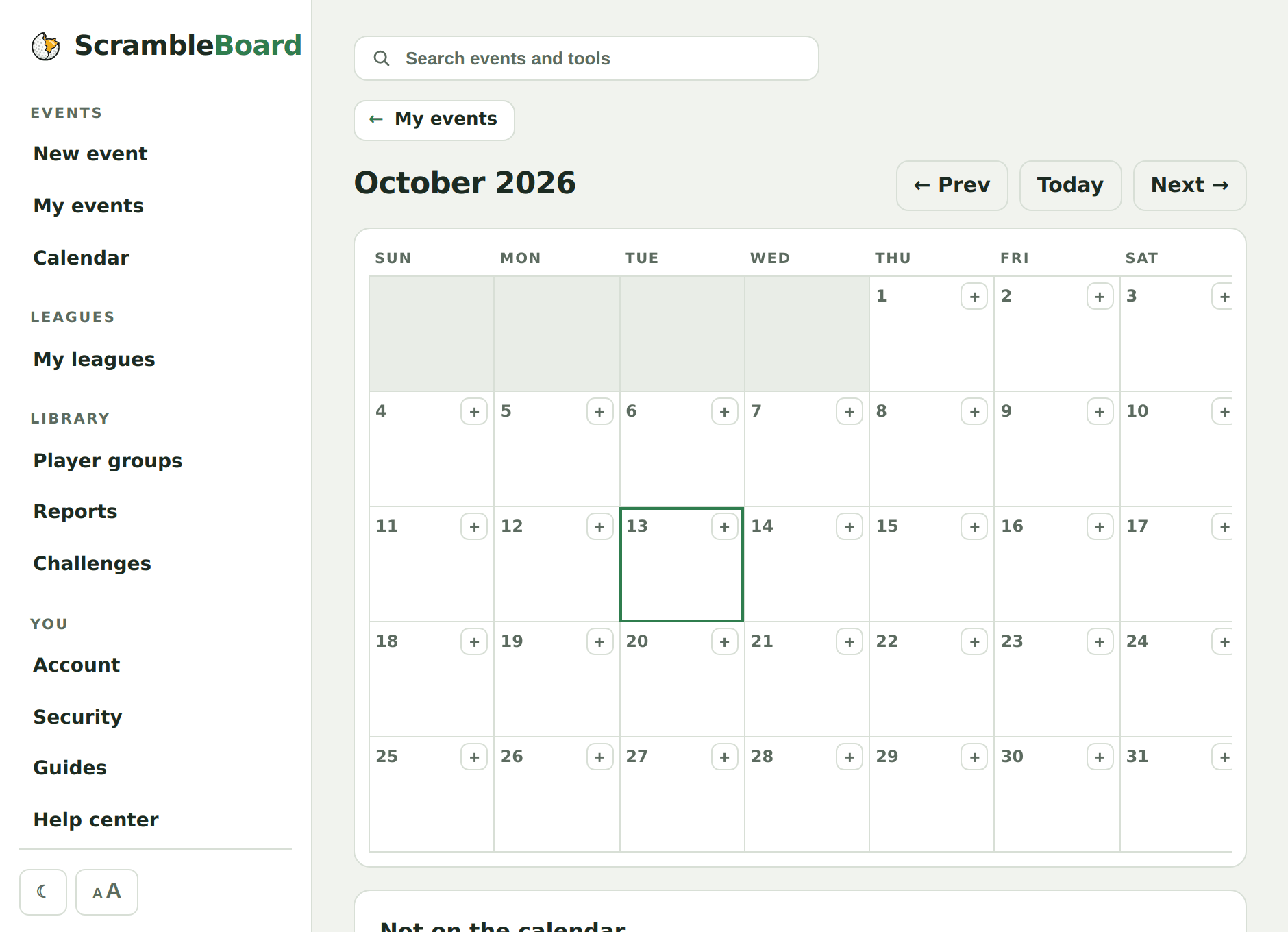
The month calendar at /manage/calendar shows every scheduled round across everything you run, and it edits in place. The "+" on any day starts a new event on that date or adds a round to one you already run, at the event's usual tee time. Tap the pencil on a week's chip to rename it or change its time, and drag a chip to another day when a night gets rained out - the time of day rides along, and a week that already has scores keeps them. An event with no tee times yet sits under the grid; put it on a day from there.
Subs and absences
A missed week simply contributes nothing - no ghost zeros on the card. When a sub plays, they take over the absent player's spot for the night from the roster page or the player's own QR card; scores stay with the seat.
What leagues don't do yet
Head-to-head match play leagues - weekly two-player matches with a matchup schedule - are not supported yet. Points-vs-field leagues in stroke play, Stableford, and quota formats all work today.
Frequently asked questions
Does every player need an account?
No. Players scan the wall QR, claim their name, and score - same as any ScrambleBoard event. Only the organizer signs in.
What does a league cost?
A season runs on the League plan: $199 a year covers every season you run, at any field size, along with your other events and trips. A course that runs a full calendar uses the Course plan. Your first event is still free to try.
Can I run 18-hole league weeks?
Yes - the 9-hole option is just the common case. Pick All 18 in the league planner and every week plays the full card.
Run your event without paper Players scan a code, claim their name, and score on their phones. The leaderboard updates on every phone and the clubhouse TV. No app to install.
Create a free tournamentRelated guides
Six steps take you from sign-in to a live event, and each one below shows exactly where to click. Your first event is free, so run a practice one first - same steps, no charge - and the real one will feel routine.
If you run events for the same crowd - a league night, a member roster, the annual buddies trip - build the list once as a group. Every future event starts from it instead of from a blank paste box.
There's nothing to install and no player accounts. A player points their camera at the QR poster, taps the link, claims their name from the roster, and is scoring within thirty seconds.