 Scramble
Guides Setup
Accounts and roles - who needs what
One account runs the whole event: yours. Players never sign in, never set a password, and never install anything - only the organizer side has a login.
The organizer account
Sign-in is a link by email - press "Try it free" or "Log in", type your address, and open the link we send. There is no password to make or forget. The account holds your events, your saved player groups, your report templates, and your scoring presets.
Co-organizers
An event can have more than one person running it.
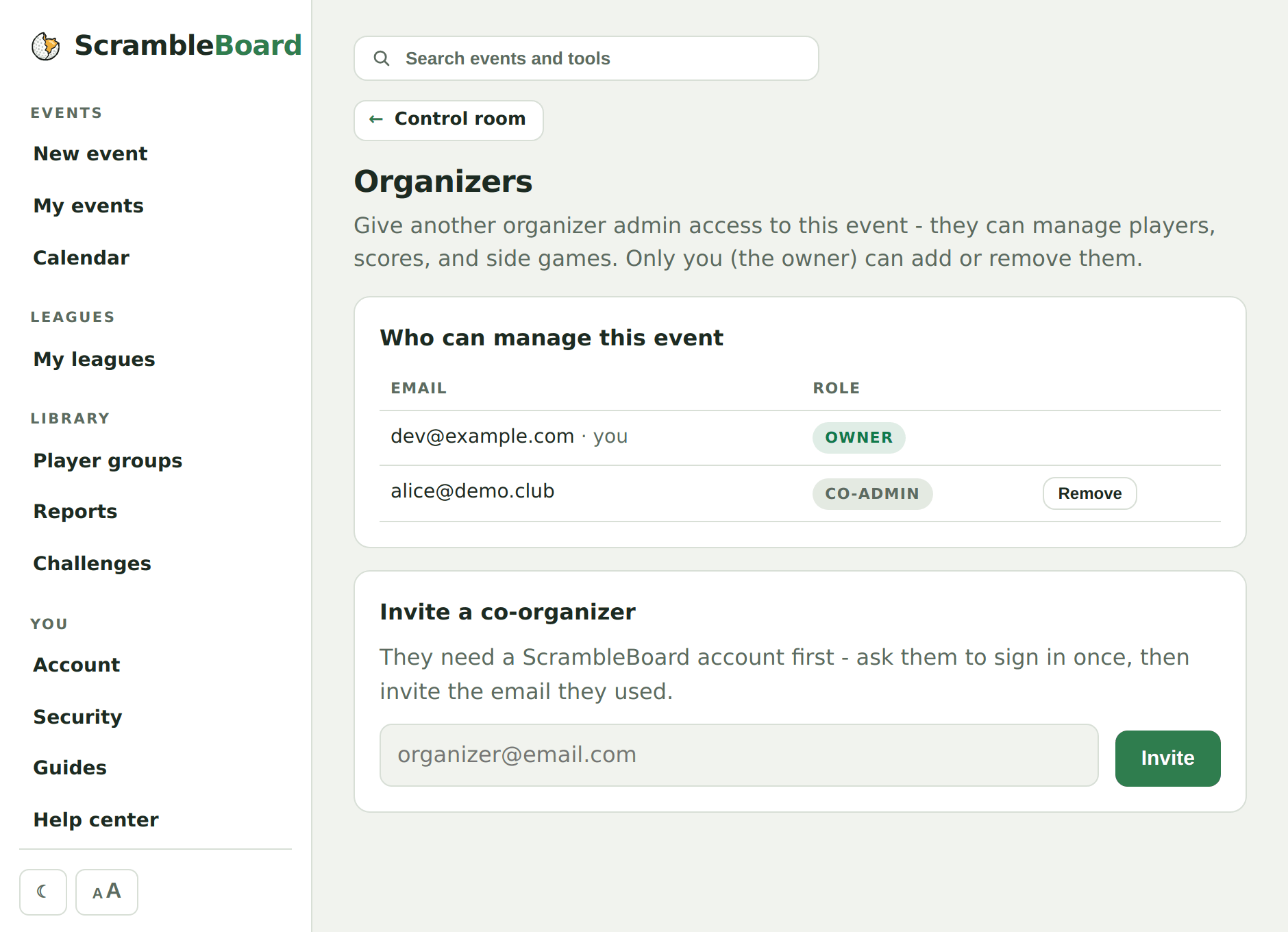
- Open your event's control room, then Organizers.
- Invite a co-organizer by the email they sign in with. They must have signed in to ScrambleBoard at least once before the invite finds them.
- A co-organizer can run the whole day - roster, pairings, scores, reports, printing, the control room.
- Publishing, payment, duplicating the event, and managing organizers stay with the owner.
Players - no account at all
A player scans the QR or types the join code, taps their name, and scores. The claim lives in a browser cookie on their phone, so their scoring page survives refreshes and reopens. Nothing about a player is stored beyond what you put on the roster.
- Lost phone or cleared browser? The player taps "That's me" next to their name to pick scoring back up on any phone.
- An event PIN (optional, 4-6 digits) gates claiming when you want the roster locked down.
What you should see
After inviting a co-organizer, their email shows on the Organizers page with the admin role, and the event appears in their My events list at their next sign-in.
If it does not work
- The invite says the person is unknown - they have not signed in yet. Have them sign in once at scrambleboard.com, then invite again.
- A player says the site asks them to log in - they are on an organizer page. Player pages all start with the join code; send the /t/CODE link again.
Frequently asked questions
Can a player and an organizer be the same person?
Yes. Claim a name on the roster like any player and score; your organizer pages stay available in the same browser.
Run your event without paper Players scan a code, claim their name, and score on their phones. The leaderboard updates on every phone and the clubhouse TV. No app to install.
Create a free tournamentRelated guides
There's nothing to install and no player accounts. A player points their camera at the QR poster, taps the link, claims their name from the roster, and is scoring within thirty seconds.
Six steps take you from sign-in to a live event, and each one below shows exactly where to click. Your first event is free, so run a practice one first - same steps, no charge - and the real one will feel routine.
Every event has a six-letter join code, and every way into the event is built on it. This page is the reference for the doors.