 Scramble
Day of the event · ~5 min
Run day-of check-in
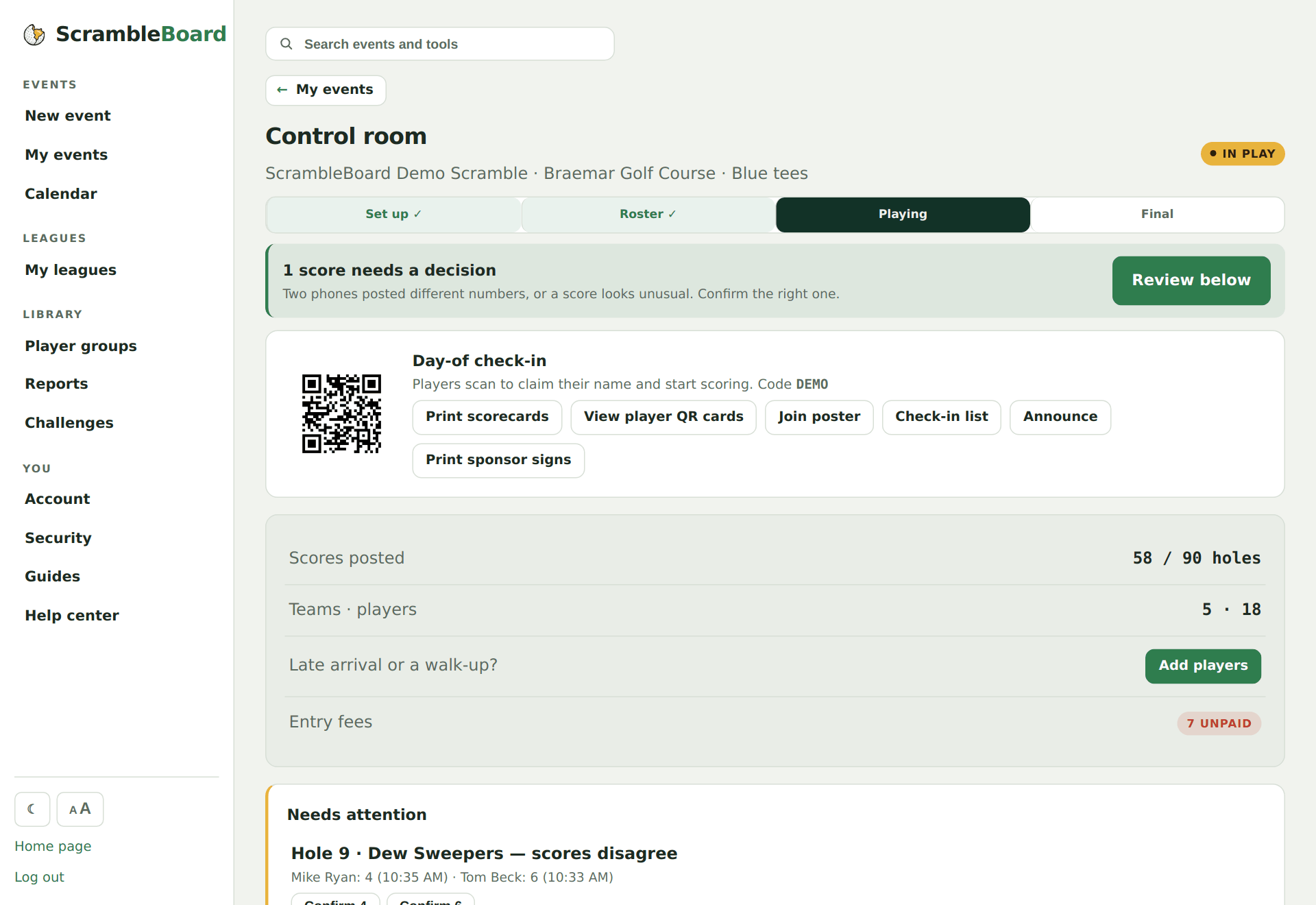
The control room opens with everything the registration table needs: the join QR, the event PIN, printable player cards, and the check-in list.
Open the control room
The day-of check-in panel is the first thing you see: the join QR big enough to scan off your screen, the code, and one-click links to everything printable.
Print player QR cards
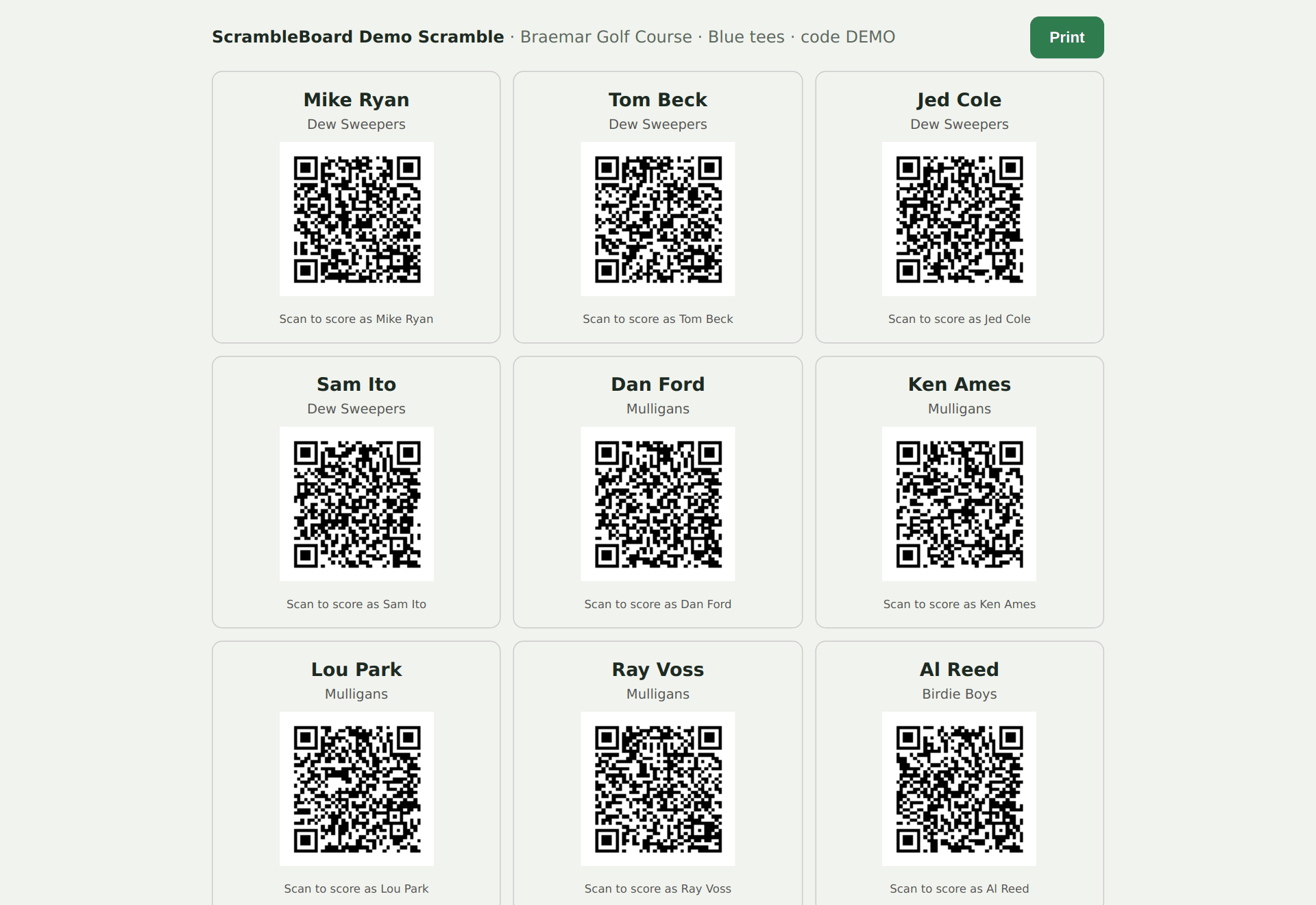
One card per player - scanning their own card claims their name instantly, no list-hunting. Cards carry the event PIN when one is set.
Work the check-in list
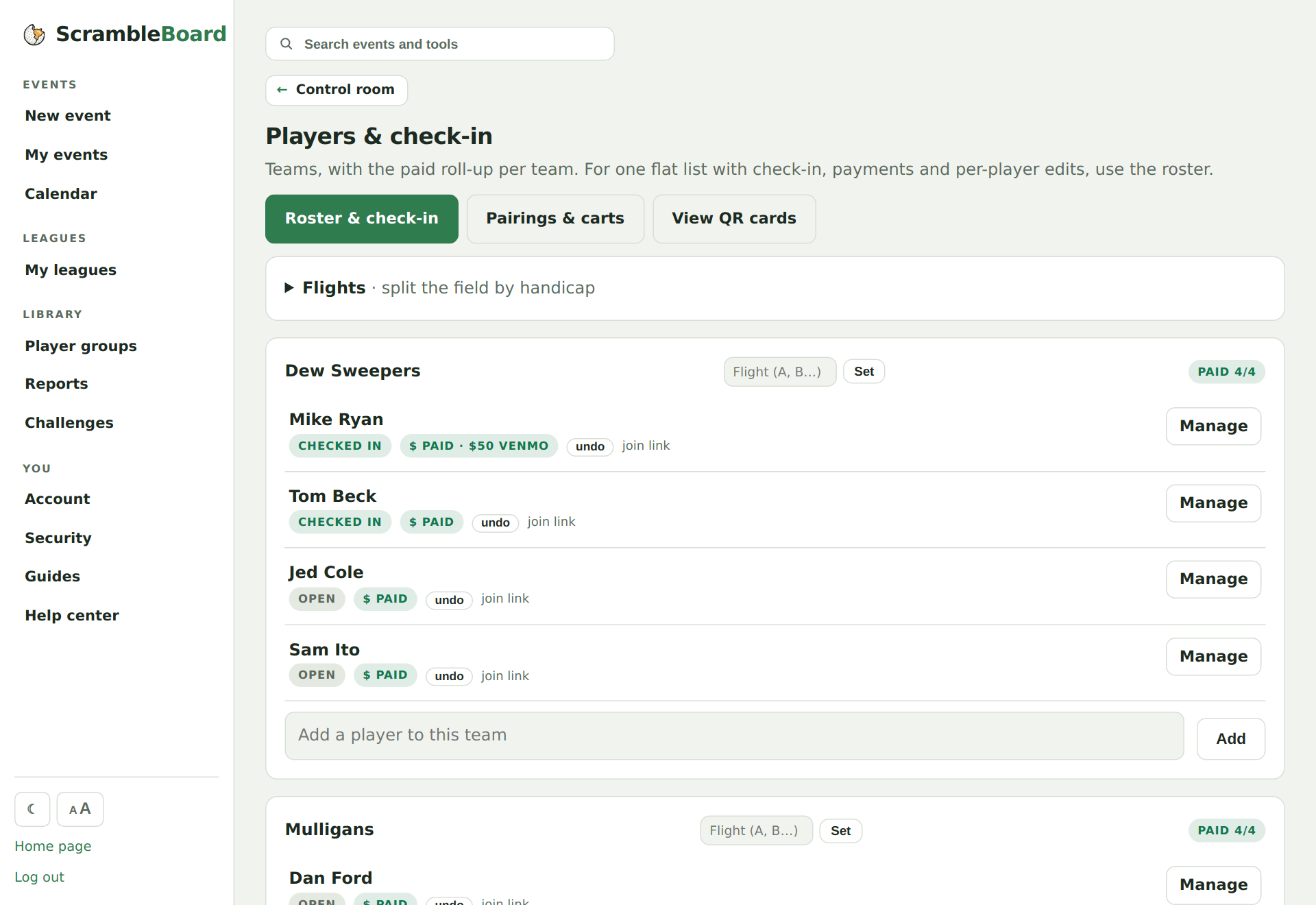
Players & check-in shows who's claimed a phone and who's paid, with one-tap paid toggles as money comes in.
Try it on your own event
Everything above works the moment you create an event - the first one is free.
Run an event · free to try