 Scramble
Stroke play with shared group scorecards
Individual stroke play, but the foursome (or cart pair) shares one scorecard - one phone can keep every score in the group while the leaderboard still ranks each player.
Turn on scoring groups
Format: Stroke play, then "Scoring groups": pairs for cart mates or foursomes for a tee time. The roster fills groups in order, and players joining by QR take the next open seat.
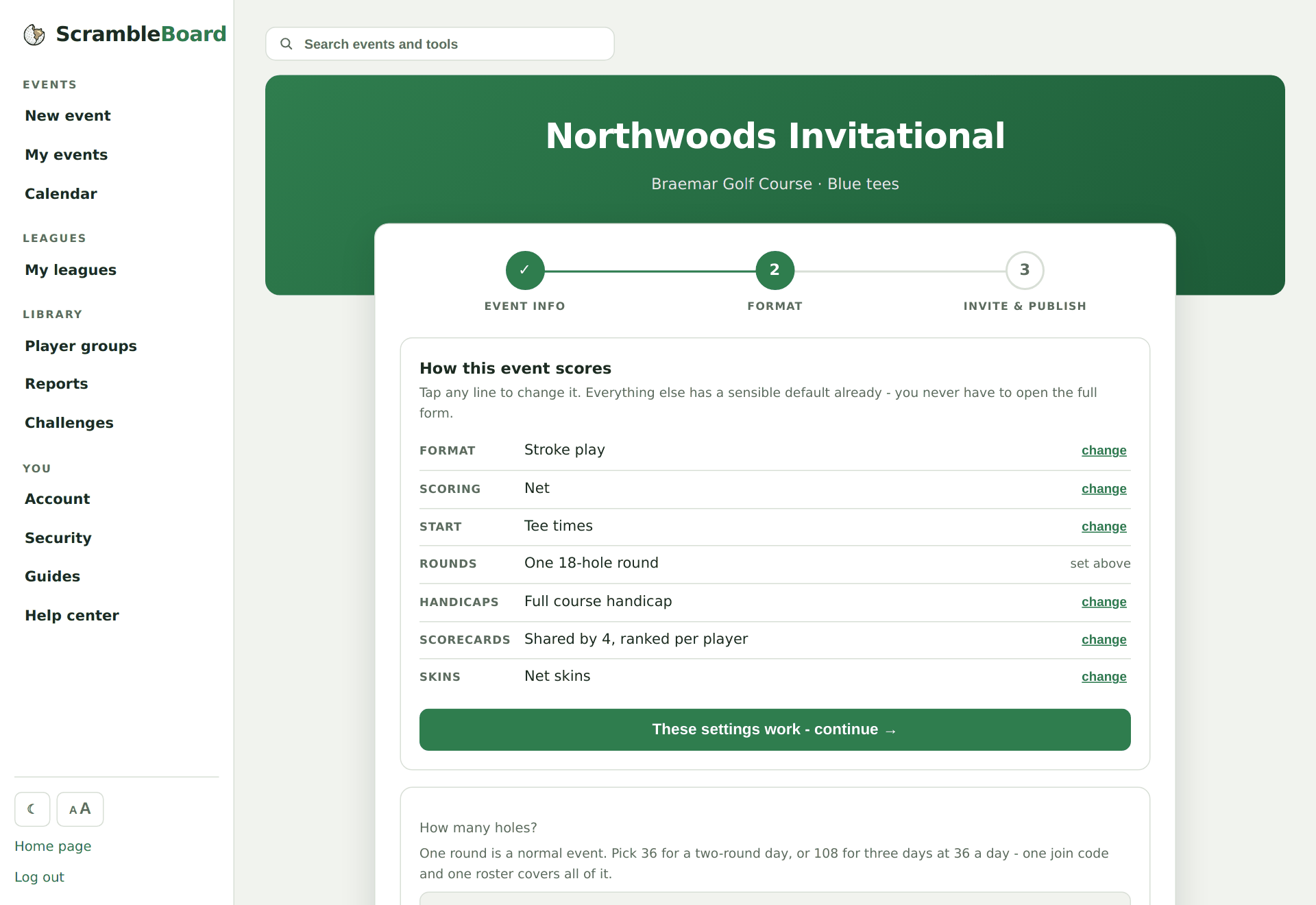
Pick who can enter scores
"Anyone in the group" is the trip convention - one scorekeeper per cart keeps the whole card. Or lock it to "each player only their own column".
The whole group on one screen
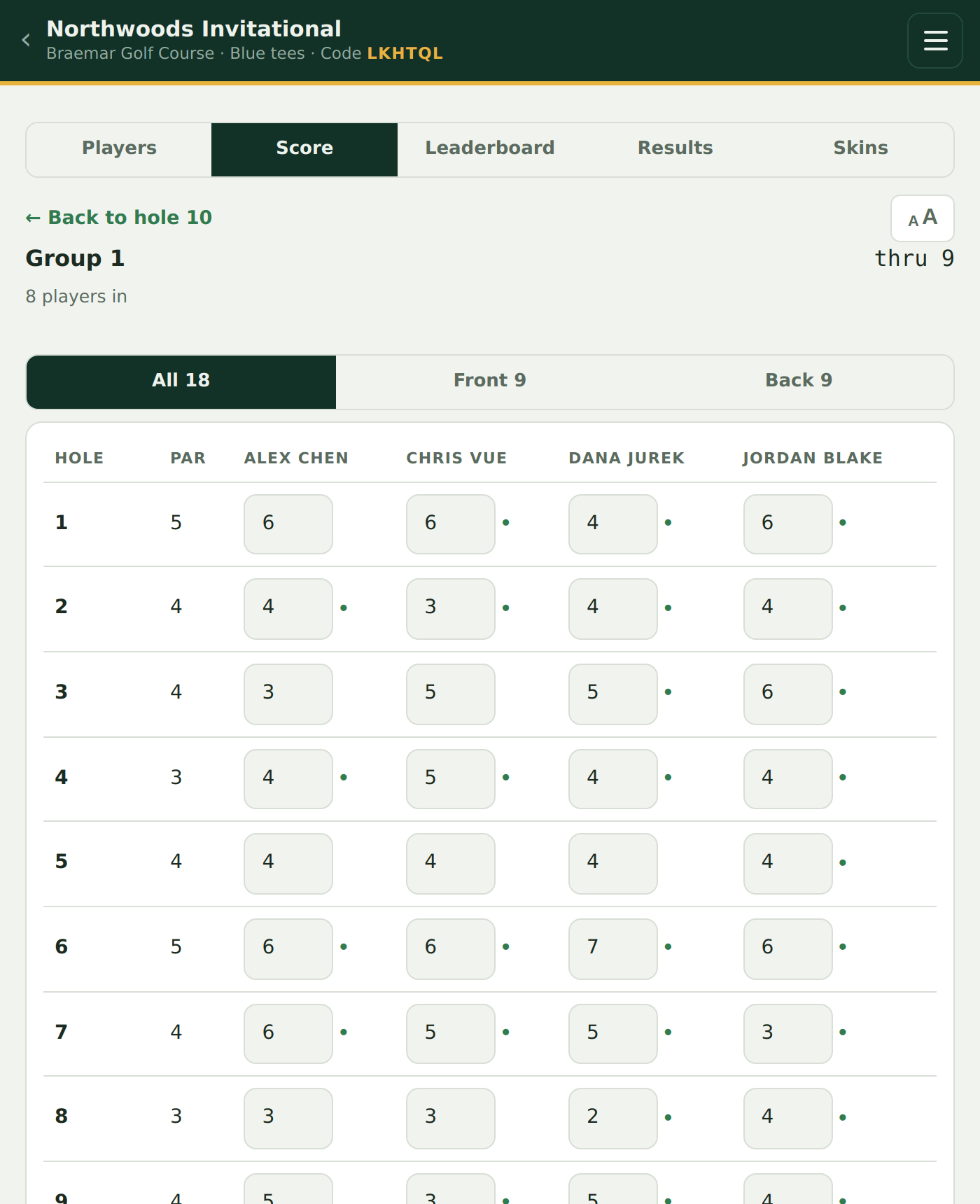
The card view is a grid: every player in the group across, all 18 holes down, with handicap dots next to each cell. Flip to Front 9 / Back 9 when you want bigger targets.
The leaderboard ranks players, not groups
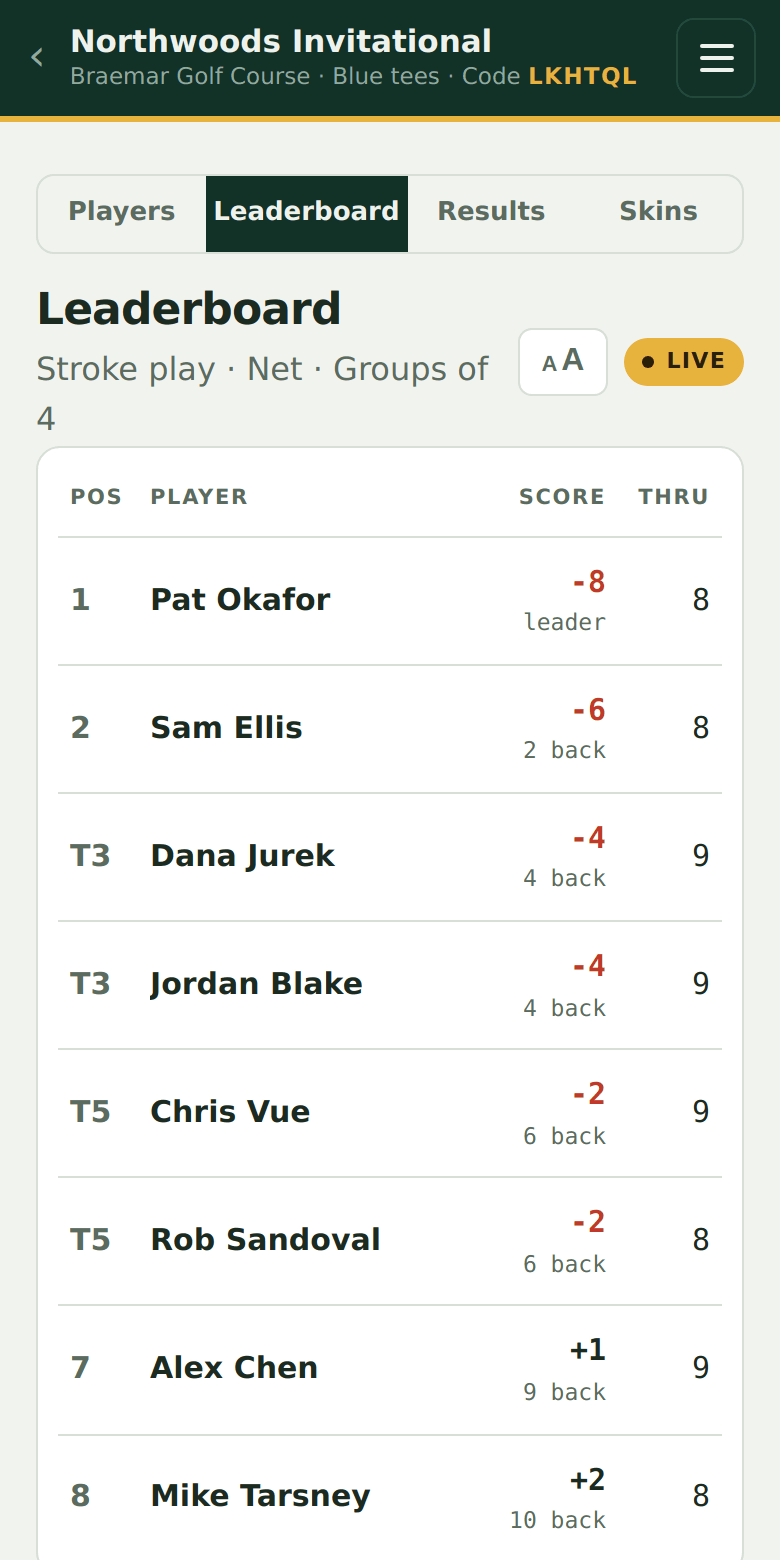
Groups are just how scores get entered - the board shows every individual with their own net score and thru count.
Try it on your own event
Everything above works the moment you create an event - the first one is free.
Run an event · free to try