 Scramble
Set up net scoring with handicaps
Enter each player's Handicap Index once; ScrambleBoard computes course handicaps for the tee they play and applies strokes hole by hole.
Switch scoring to Net
In the wizard's step 2. Gross vs net is a scoring mode - you can flip it before publishing without touching anything else.
Get handicaps on the roster
Three ways: pull in a saved group that has them, import a GHIN club-roster CSV, or type them on the Players page. A player without one simply plays at scratch.
Course handicaps are automatic
We convert each index with the World Handicap System formula for the tee that player is assigned - including per-player tees if some of your field plays forward.
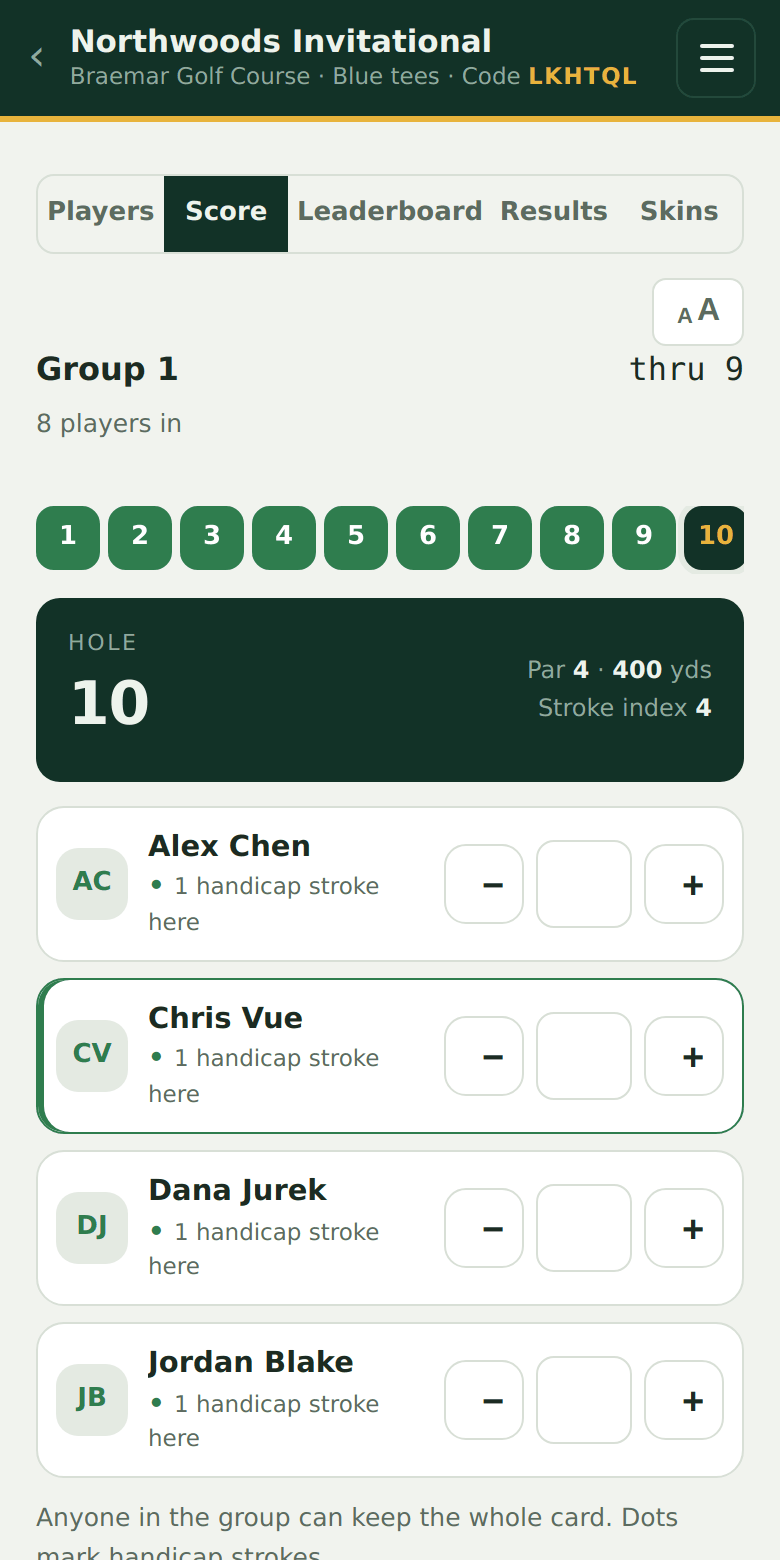
Dots show where strokes land
Scorecards mark the holes where a player gets a stroke with a dot (two dots on the hardest holes for bigger handicaps), and the hole view calls it out as you arrive.
Try it on your own event
Everything above works the moment you create an event - the first one is free.
Run an event · free to try